
Premium Assets
15 packages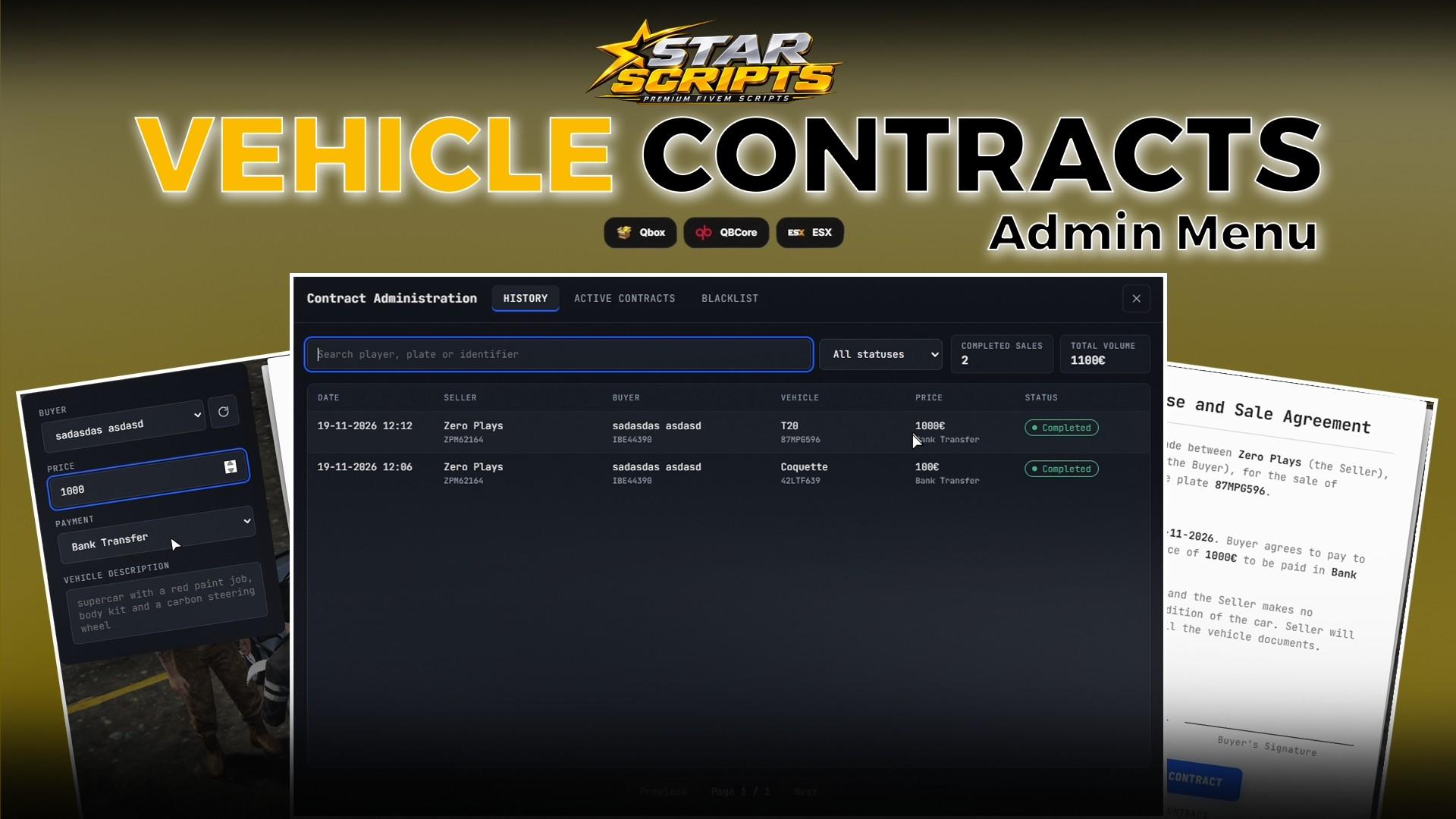
Vehicle Contracts with Admin Menu
 Qbox
 QBCore
 ESX
Features Contract as an item. The seller uses the item next to their vehicle, picks a nearby buyer and a price, and signs. The buyer reviews the contract and signs. Instant transfer. On the buyer’s signature the vehicle changes owner and the money moves from buyer to seller (bank or cash). If the payment fails, the vehicle goes back. Signature animation. Both names are written in a handwriting style, and the player holds a notepad and pencil while signing. Vehicle blacklist. Block models or plates from the config file, a command or the admin menu. Admin menu (/contractadmin): History: searchable history of every contract, with totals. Active contracts: a list with force cancel. Blacklist: a live editor. Discord logs. Created, completed, cancelled, failed, blocked and admin actions, each optionally to its own channel. Translations. English, Arabic (right-to-left), Spanish, French and German, and a new language is one file. Safe by design. Everything is checked on the server (ownership, distance, funds, blacklist), and player-typed text can’t inject code into the UI. Configurable. Price limits, payment methods, timeout, distance and key script hooks. Works on ESX, QBCore and Qbox. The framework is detected automatically, and ox_inventory is used when it’s running.
Star Hud AIO
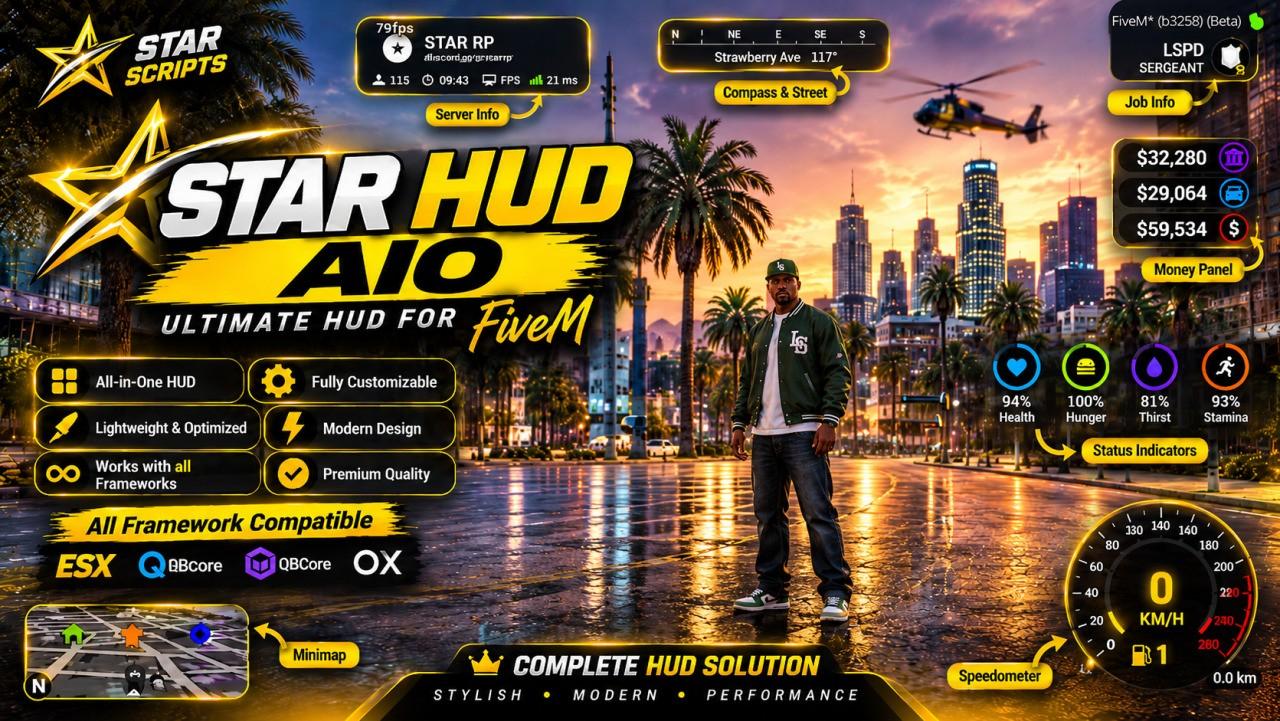
QboxQBCoreESX⭐ STAR HUD AIO – Complete FiveM HUD Solution A modern, premium all-in-one HUD for FiveM servers, featuring a stylish glass-style interface, customizable yellow accents, advanced vehicle systems, and powerful player features. Compatible with QBCore, Qbox, and ESX, all in one resource. STAR HUD AIO also includes an integrated notification system, allowing you to replace your old "star_notify" resource. 🔗 LINKS & RESOURCES 🛒 Purchase & Store: 💬 Discord Community: 📄 Documentation: ✦ KEY FEATURES 🔑 Advanced Vehicle Key System A modern, premium vehicle key interface featuring a sleek silver frame and four interactive buttons: Unlock Lock Hood Trunk Features: Personalized display showing "Hello, [Character Name]" and the vehicle name. Interactive buttons with visual indicators for vehicle lock status, hood, and trunk. Customizable key colors through "Config.Keys.FobColor". Available colors: Red, Gold, Orange, or any custom HEX color. Press K to open the vehicle key. Use "/starfob" to open the key interface. Press L for quick vehicle lock/unlock. Database-based vehicle ownership and key management. Vehicle management commands: "/registervehicle" "/transfervehicle" "/givekey" "/unregistervehicle" Realistic key animation with hand prop, vehicle light flash, horn chirp, and configurable sounds. Optional automatic vehicle locking when leaving the vehicle. Prevents unauthorized vehicle entry through the standard F key when locked. 🚗 Advanced Speedometer System Choose from five unique speedometer designs: Classic Dial Neon Arc Cluster Digital Additional Features: 26 customizable accent color themes. Separate speedometer layouts for aircraft, bicycles, and metro. Individual player customization. Players can select their preferred layout and color through the HUD menu (I). Personal preferences are automatically saved. 🧰 Complete HUD Features Player Status Indicators Health Armor Hunger Thirst Stress Oxygen Fuel Vehicle Systems Built-in seatbelt system. Crash detection and player ejection. Seatbelt warning chime. Synchronized turn signals. Hazard lights synchronized between players. Dedicated vehicle menu (F7). Advanced vehicle information. HUD Interface Customizable minimap. Compass and street names. Voice indicator. Weapon HUD. Modern server information panel displaying: Server name In-game clock FPS Ping Player count Money Advanced Systems Built-in stress system with screen effects. Black money support. Society and gang balance support. Integrated notification system. Automatically hides when another resource has NUI focus or when a camera is active. 🌍 Language Support STAR HUD AIO supports 12 languages: Arabic (ar) Czech (cs) German (de) English (en) Spanish (es) French (fr) Dutch (nl) Polish (pl) Portuguese (pt) Thai (th) Turkish (tr) Chinese (zh) ⚙️ Developer Features Exports and events for integration with other scripts. Notification integration. Vehicle key management integration. OpenKeyFob integration. Customizable settings. Extensive configuration through "config.lua". ⚙️ REQUIREMENTS & INSTALLATION Requirements OneSync (required). oxmysql (required for vehicle key database features). QBCore, Qbox, or ESX framework. Installation Guide Download and extract "star_hud". Place the resource inside your server's "resources" folder. Add "ensure star_hud" to your "server.cfg", after your framework. Stop other HUD and seatbelt resources to prevent conflicts. Alternatively, disable the built-in seatbelt using "Config.Seatbelt.Builtin = false". Configure your preferences inside "config.lua". Restart your server and enjoy STAR HUD AIO! ⭐ WHY CHOOSE STAR HUD AIO? Complete all-in-one HUD solution. Modern glass-style interface. Fully customizable appearance. Advanced vehicle key system. Five unique speedometer layouts. 26 accent color themes. Optimized and lightweight design. Supports QBCore, Qbox, and ESX. 12 language options. Developer-friendly exports and events. STAR HUD AIO – One Resource. Complete HUD Solution. Stylish • Modern • Customizable • Performance-Focused 🌐 💬 https://youtu.be/YW1KPKmhTcs
Admin Menu
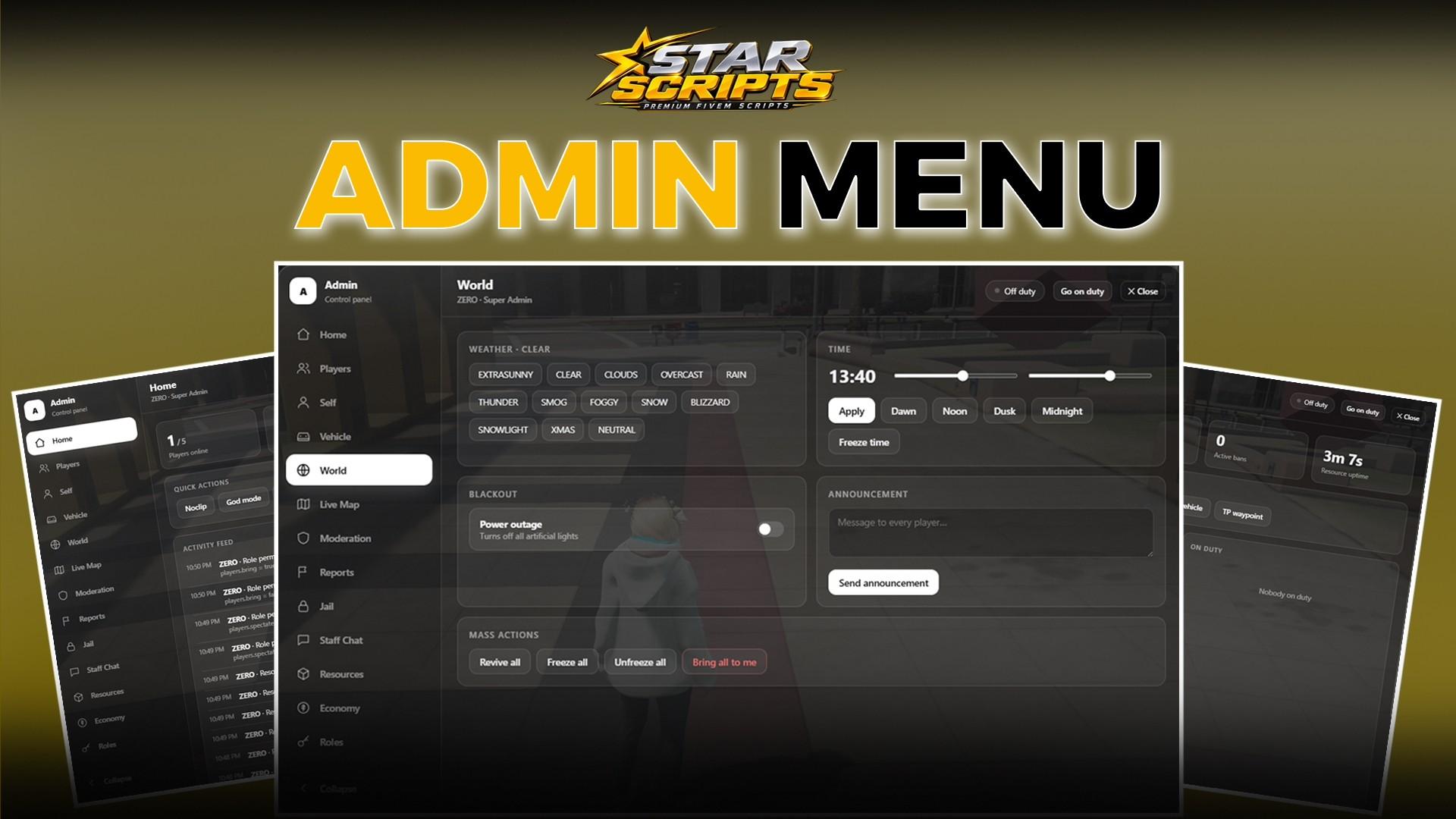
QBCoreESXA full admin menu. It runs on its own with no database and works with QBCore and ESX if you have them. Features Home: live server stats, quick actions, an activity feed and a list of staff on duty. Players: Goto, Bring, Revive, Spectate, Freeze and Cuff. You can give items, money and weapons, set job or gang, view inventory and history, add notes and take screenshots. Self: Noclip, God mode, Invisible, ESP, a delete laser, teleports and a ped changer. Vehicle: a spawn list, repair, max mods, custom plate and fuel. World: weather, time, blackout, announcements, and revive, freeze or bring all players. Live Map: real-time player tracking on a map, plus an optional in-game blips mode. Moderation: Kick, warn and ban, with a Ban ID and an Appeal ID for every ban. Offline bans and hardware bans. Automatic ban after a set number of warnings. Audit and duty logs, with an optional Discord webhook. Reports: players use /report, and staff can claim, go to the player and close the report. Jail: a built-in jail, or you can connect your own jail script. Staff Chat: a private chat for staff only. Resources: start, stop and restart resources, with protected resources that can’t be stopped. Economy: view and edit player balances. Roles: in-game ranks with editable permissions. Staff can’t change or assign ranks at or above their own. Extras Open it with /admin or F10. The sidebar can collapse to icons only. Permissions are checked on the server, not just in the menu. Ban IDs and logs are saved to a file, so nothing needs a database.
Vinewood Advanced 3D Sign Editor
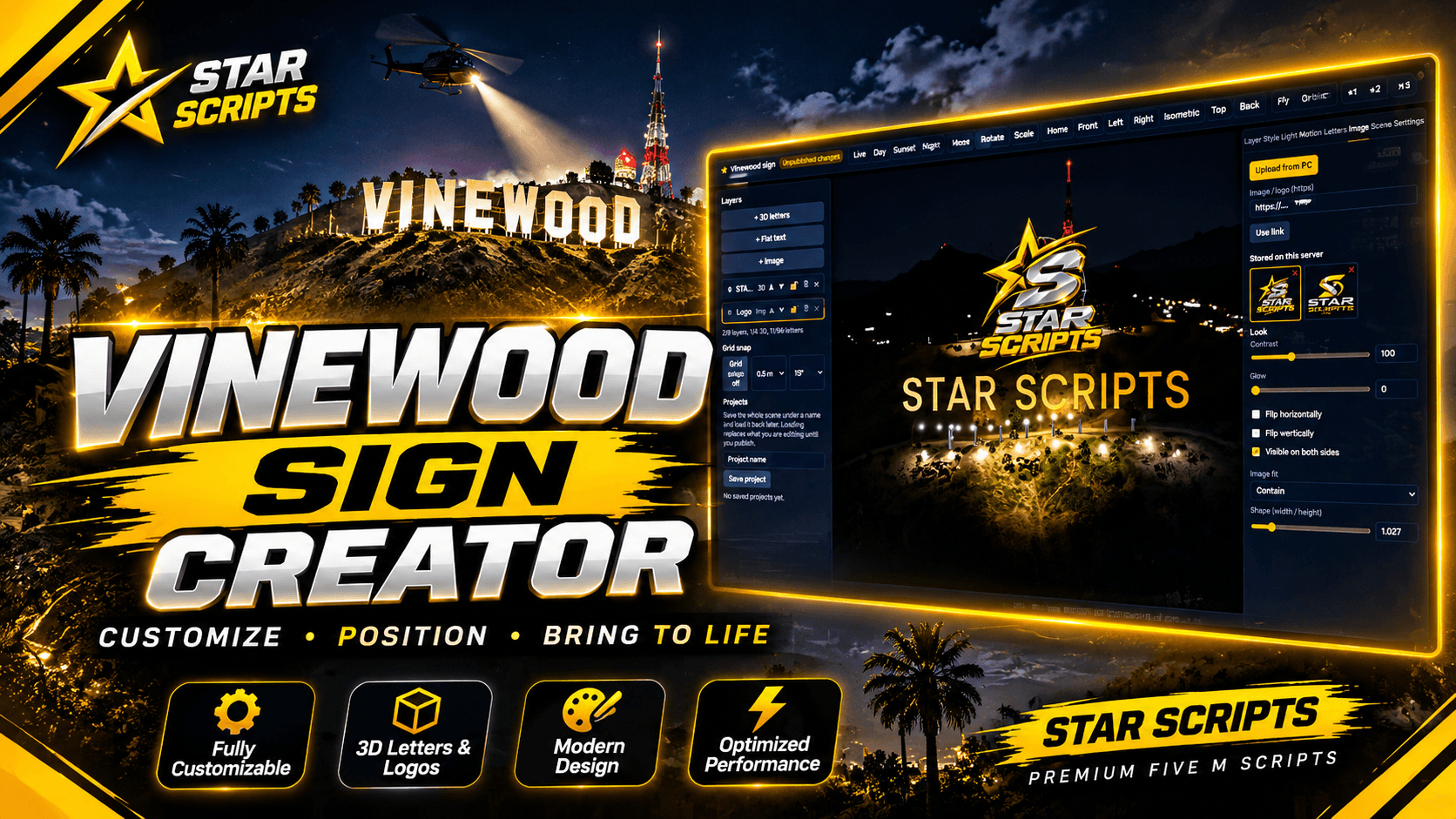
QboxQBCoreESXStandaloneTransform the iconic Vinewood sign into your own creative masterpiece with Star Vinewood by Star Scripts. Star Vinewood is an advanced FiveM sign customization system that lets authorized staff create, customize, and publish beautiful sign designs directly inside your server. Build stunning 3D lettering, add custom text, upload logos, and design unique sign displays with a powerful in-game visual editor. ✨ Main Features 3D Text & Typography - Create realistic 3D letters directly on the Vinewood sign. - 23 different fonts. - Six font-weight options. - Custom letter spacing and depth. - Multiline text support (up to 4 lines). - Left, center, and right alignment. - Custom text outlines and colors. Custom Logo & Image System - Upload images directly from your PC. - Support for HTTPS image links. - Image tinting: solid, gradient, and rainbow. - Contrast and glow adjustments. - Horizontal and vertical flipping. - Image fitting and double-sided visibility. - Server-side image storage. Advanced In-Game Editor - Interactive 3D transformation gizmo. - Move, rotate, and scale controls. - Freecam and orbit camera. - Seven camera viewing presets. - Three camera bookmarks. - Day, sunset, and night previews. - Grid snapping and keyboard shortcuts. - Live visual editing. Scene Management - Save and load projects. - Seven built-in scene templates. - Copy and paste layer appearances. - JSON scene export and import. - Automatic backups. - Hide the original Vinewood sign. Framework & Permissions - ESX support. - QBCore support. - Qbox support. - Standalone support. - Automatic framework detection. - ACE permission support. - Custom permission integration. Additional Features - 14 supported languages. - Customizable interface scale and accent color. - Adjustable camera sensitivity. - Smooth camera transitions. - Configurable editor controls. - Server-side publishing validation. - Image upload limits and rate protection. 🎮 Commands /vinewood – Open the Vinewood editor. /vinewood showcase – Run the automatic private showcase. 🔧 Requirements - FiveM server. - One supported framework or standalone. - Appropriate editor permissions. ⭐ Why Star Vinewood? Give your server a unique identity with custom branding and professionally designed Vinewood sign displays. Whether you want a custom server logo, beautiful 3D lettering, or a completely redesigned sign, Star Vinewood gives your staff the tools to bring their ideas to life. Developed by Star Scripts.
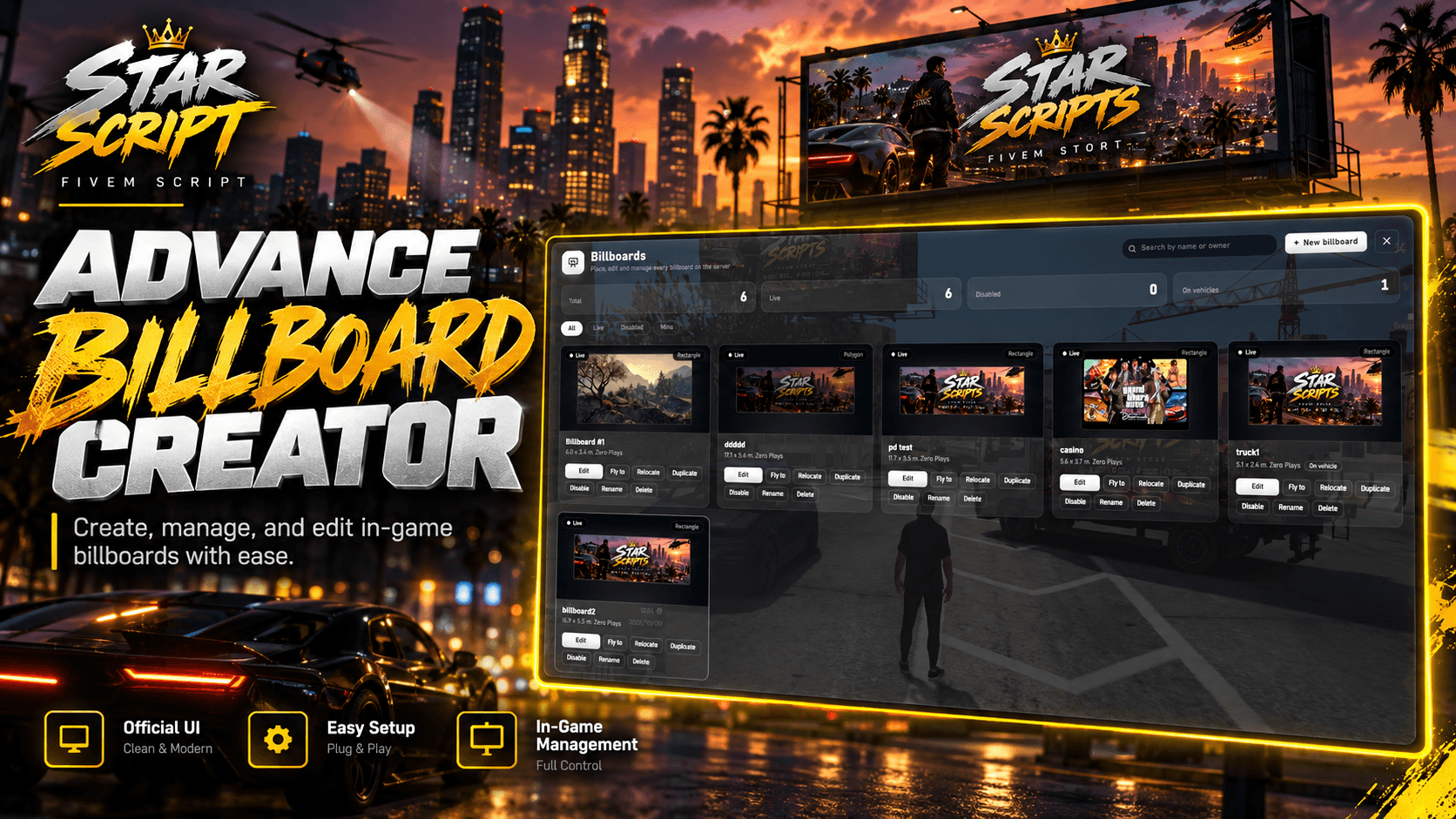
Advance Billboard Creator
QboxQBCoreESXStandalone🪧 Billboard Creator — The Ultimate Billboard System for FiveM Create, place, and manage fully customizable billboards anywhere in your FiveM server. Display images — with a powerful built-in studio and management dashboard. ✨ Powerful Placement System • One-click image placement — click a surface and adjust the height with a simple slider • Custom shapes — rectangle, circle, free polygon (3–16 nodes), and 90° corner wraps • Live ghost preview — see exactly what will spawn before confirming • Depth control — float boards away from walls or create recessed effects • Free-fly camera — WASD, Space/Ctrl, SHIFT boost and scroll speed control • World streaming while editing — explore your map freely while placing boards 🎬 Unlimited Adds • Upload images directly from your PC • Images, GIFs, • Playlists with crossfade and background control • Animations including Ken Burns, zoom, pan, fade, pulse, sway and carousel • Carousel mode with 2–6 panels • Fill / Fit modes • Drag to reposition and scroll to zoom • Custom background colors • See-through mode 🚗 Vehicle Billboards Put a billboard directly on any vehicle. The board stays attached to the vehicle and can automatically return when the vehicle is taken out of the garage, using plate + model matching. 🛠️ Advanced Management Dashboard Manage all your billboards from one place: • Live thumbnails • Search & filters • Rename & edit • Relocate • Duplicate • Enable / disable • Fly-to location • Delete • Permission-based management Managers can control everyone's boards, while regular players can manage only their own. 🔐 Flexible Permissions Choose exactly who can use the creator: • ACE permissions • ESX admin groups • QBCore / QBox admin groups • Job whitelist + grades • Open to everyone • Server-side permission re-checking You can also configure creation fees and per-player board limits. ⚡ Optimized for Performance Designed to handle hundreds of saved billboards without constantly rendering everything. • Pooled render slots • Nearest-board priority • Per-board render distance up to 2 KM • Frustum culling • Automatic browser release for idle boards 🔌 Framework Compatibility ✅ ESX Legacy ✅ QBCore ✅ QBox ✅ Standalone ✅ Optional oxmysql ✅ JSON storage fallback ✅ Fully translatable 🚀 Bring Your FiveM World to Life Create dynamic advertisements, shop signs, event boards, vehicle ads, digital screens, TV walls and immersive city billboards with Billboard Creator. 🔥 One system. Unlimited possibilities.
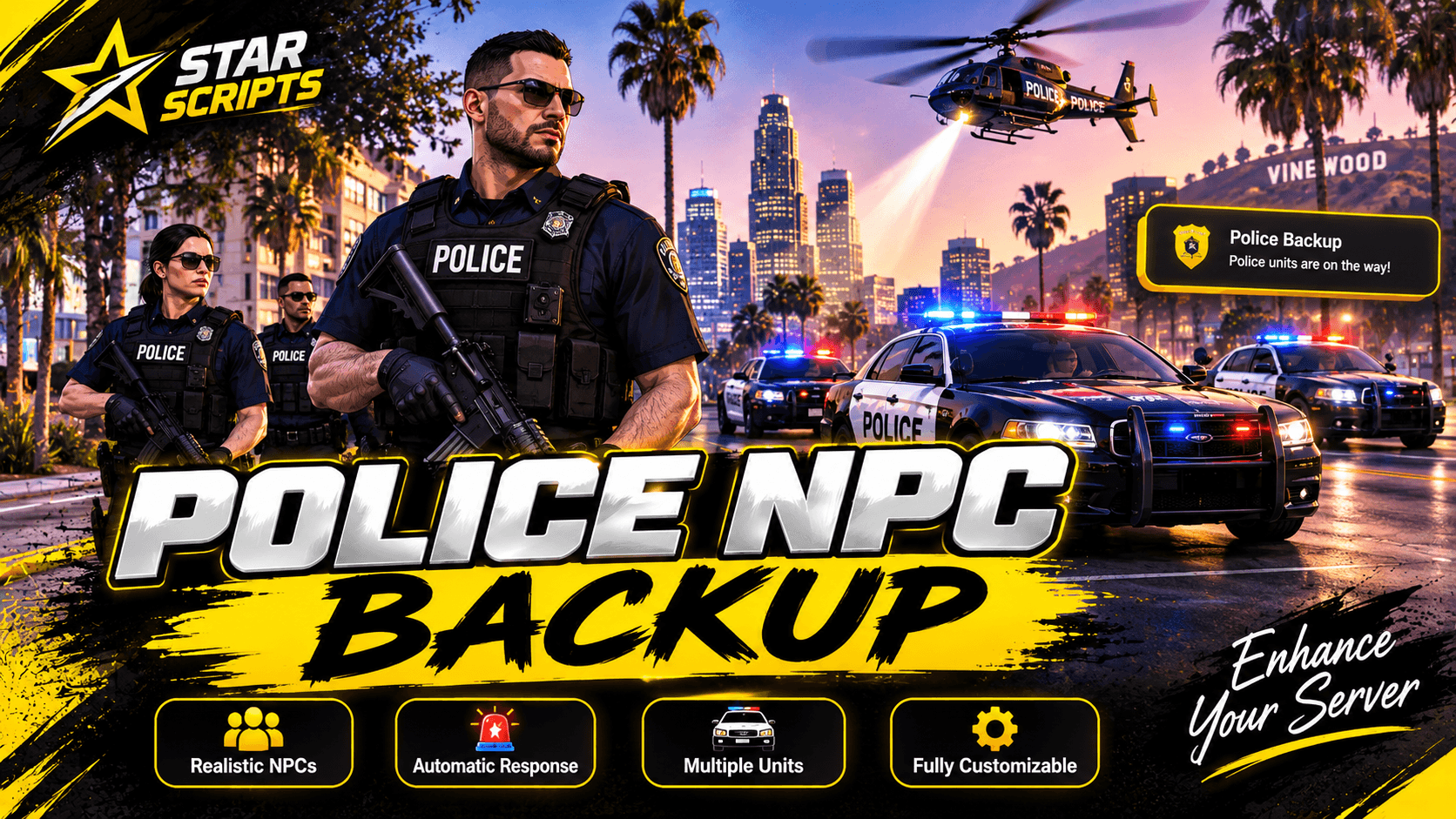
Police NPC Backup & Air Support
QboxQBCoreESXStandalonePolice NPC Backup & Air Support Never patrol alone again. Officers can call NPC backup squads and helicopters with rank-based access, give them orders, and use the helicopter’s tablet camera for pursuits and surveillance. It works with ESX, QBCore, Qbox, ox_core and standalone, and the menu and notifications use ox_lib. Features Ground backup Squads drive in from a road, park, unload and follow you in formation. They board their car when you drive off and keep up with you. They draw their weapons when you hold one and fight what you fight. They never target police players or NPC cops, and they cannot hurt you. Several squads from several players work together. You can configure vehicles, ped models, weapons, armor, accuracy and the rank needed for each type. Reinforcements need a higher rank and an active squad. Specialist units K9: handler and dog, with the dog attacking on command. Overwatch: a sniper who takes high ground. Breacher: a point man who smashes vehicle windows. SWAT, FIB, military and heavy units. Orders Follow, hold, move to waypoint, secure area, cover fire and attack target. Traffic stop assist and breach vehicle. They work from the menu, the radial wheel, or per squad. Tactics Pursuit: backup cars chase, cut off and box in a vehicle. Roadblock: cars block the road with a spike strip. Spike strips: you can place your own, and they burst tyres. Panic button: alerts other officers (10-13) and calls backup. It can trigger automatically at low health. Air support Scout, attack and transport helicopters. Tablet camera: live view with night and thermal vision, and vehicle model, plate and speed. Plate owner lookup works for ESX and QB or Qbox through oxmysql. Hunt a vehicle: the helicopter pursues a locked target with location updates, and backup cars join in. Tracking spotlight at night. Loudspeaker messages shown to nearby players (a notification with a radio beep). Evidence photos (needs screenshot-basic). Shared target ping on every officer’s map. Fast-rope team drop from the transport helicopter. Armed helicopter: an attack helicopter with weapons free / hold. Server owner tools Scale with officers online: fewer officers online means stronger or more frequent. Department budget (optional). Per-department loadouts (police, sheriff, state). Discord logging. Server-side validation of rank, cooldown and limits, with cleanup on disconnect. Every feature has an on/off switch in config.lua. Presentation Callsigns and radio callouts. ETA and GPS route to incoming units. A squad panel with health bars. Requirements ox_lib and OneSync. Optional: oxmysql, screenshot-basic.
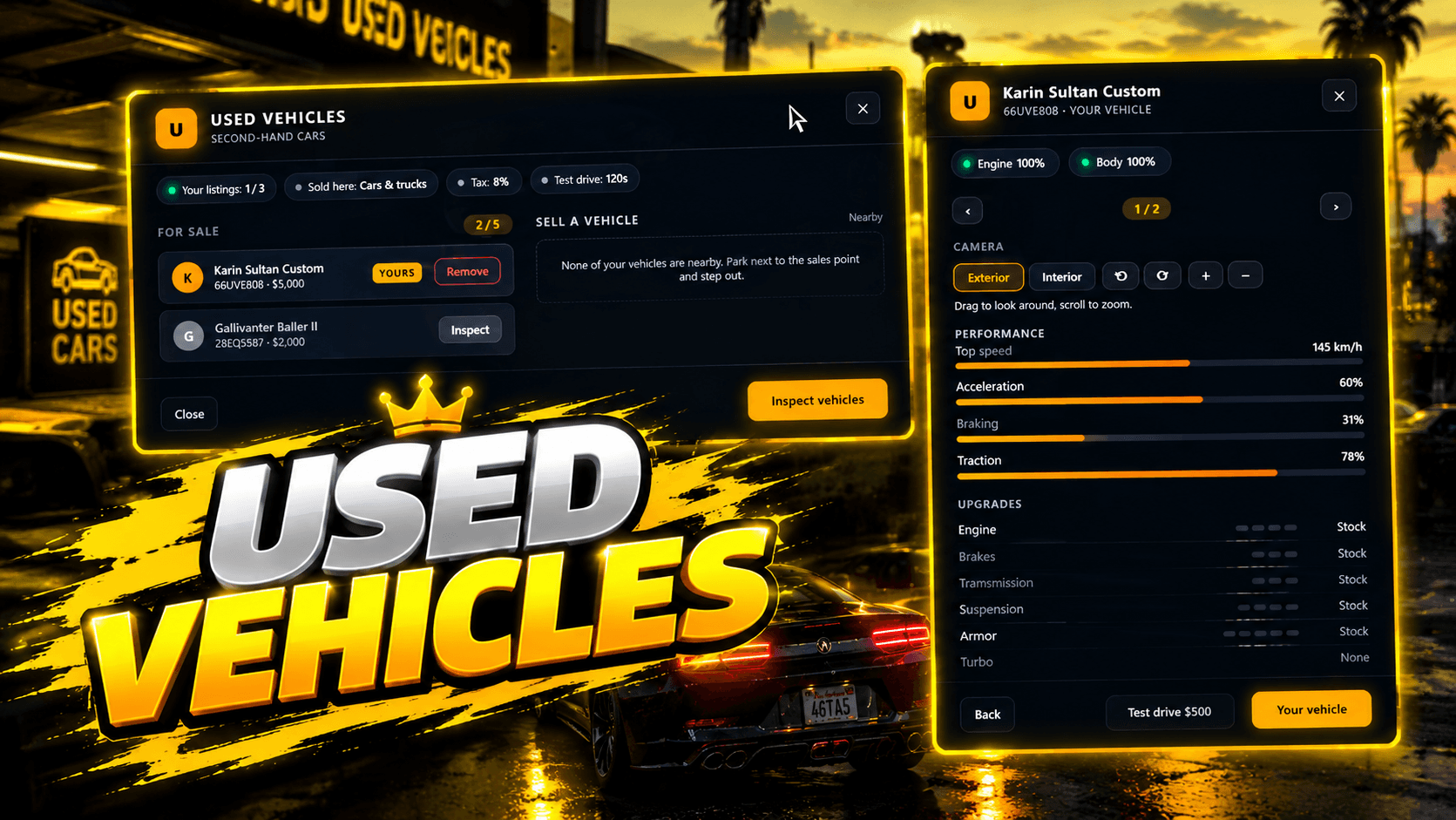
Used Vehicles Market
QboxQBCoreESXA second-hand vehicle market for ESX, QBCore and Qbox. Players list their own vehicles for sale at physical lots, and other players can walk the lot, inspect cars with a free camera, test drive them and buy them, even when the seller is offline. It has a modern dark and amber UI and an in-game admin creator for locations and the blacklist. Features For players Sell anytime: list your vehicle for sale and get paid even while you’re offline. Earnings are paid out when you next log in or open the menu. Easy menu: pick one of your nearby vehicles, set a price, and list it. Physical lot: listed vehicles show up in the parking slots, and you can walk up and inspect any of them. Camera controls: orbit and zoom around the vehicle, switch to an interior camera, and flip through every vehicle in the lot. Stats and upgrades: top speed, acceleration, braking and traction, plus engine, brakes, transmission, suspension, armor and turbo levels, and engine and body condition. Test drive: pay a fee, drive for a set time, and get returned automatically. Buy: pay the price plus tax, and the vehicle is yours straight away. Remove from sale: take your vehicle back off the market whenever you want. For server owners Multiple locations: each location has its own slots, blip and delivery point, and can be limited to certain vehicle types, such as a motorcycles-only shop. Admin creator (/usedadmin): Create, edit and delete locations. Place slots and points directly in the world. Manage the blacklist and return any listing to its owner. Changes apply live, with no restart. Blacklist: block vehicle models, plates or whole classes. Configurable economy: tax, listing fee, price limits, listing limit per player, test-drive fee and duration, and cash or bank payment. Delivery options: bought vehicles can spawn at the lot or go straight to the garage. Technical Frameworks: ESX, QBCore and Qbox, auto-detected. Dependencies: ox_lib text UI prompts and oxmysql. Security: ownership, prices, blacklist and admin actions are all validated on the server, and sales use database transactions. Config and hooks: a fully commented config, with hooks for vehicle keys, fuel and vehicle properties.
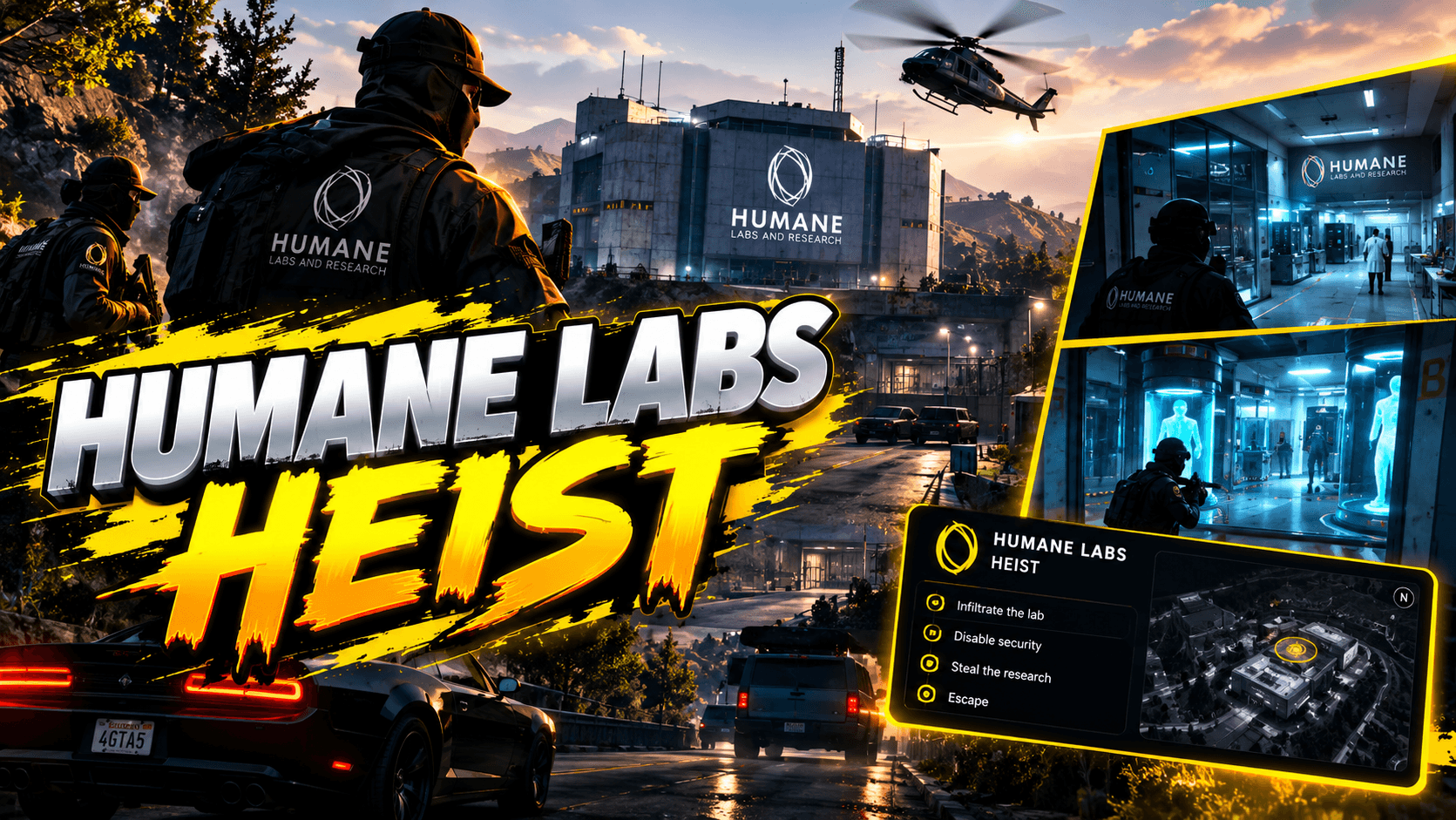
Multiplayer Humane Labs Heist
QBCoreESXStandaloneA multi-stage heist for FiveM based on the Humane Labs raid. A crew dives through the underwater tunnel, hacks the security terminal, fights the lab guards, takes the elevator up and loots the research crates. They then walk out and hand the loot to a dealer in a short cutscene that pays them. Police are alerted along the way, and everything is configurable. Features Crew lobby UI: The leader opens a lobby at the contact, adds nearby players or adds anyone by server ID, kicks members and starts when ready. Invited players accept with Y or decline with N. On-foot heist flow: Swim through a dive point, swim the tunnel to the entry point, then play the lab on foot. The elevator is the only teleport. Hacking minigame: A timing-based terminal hack unlocks the elevator and crates. A failed hack triggers the alarm. Guards with stealth: Guards spot players by line of sight or unsilenced gunfire. Shooting or being spotted starts the alarm. Reinforcements: After the alarm starts, a second wave of guards arrives. Hacking the terminal in time cancels it. Loot and dealer payout: Each crate rolls a loot table. Each player sells their own items at the dealer, with the sale paid after a handover cutscene. Payment can go to cash, bank, a black money account or an item. Police alerts: Built-in notification and fuzzed search-area blip for on-duty police, or a custom hook for your own dispatch script. Easy setup: Place every spot in game with /hlset, no file editing. Saved positions override the config file. Server-side checks: The server validates every step, so clients can’t skip ahead or loot remotely. Clean UI: ox_lib text prompts, map blips only (markers can be turned off), and a dark panel lobby. Configurable: Police minimum, cooldown, start fee, time limit, crew size, loot, prices, guard weapons and all text. Requirements OneSync and ox_lib ESX, QBCore or QBX, with ox_inventory or your framework’s inventory, or standalone
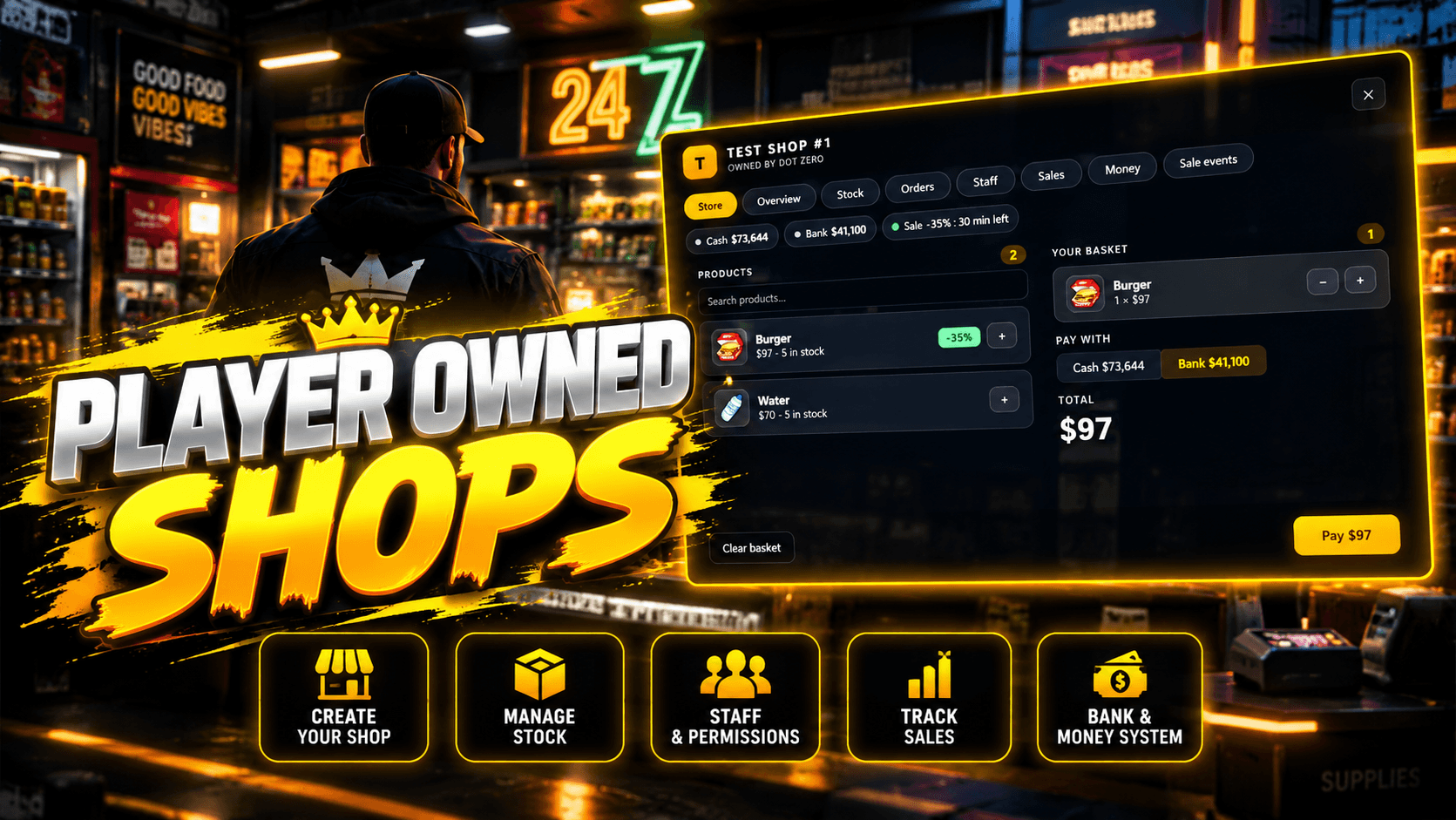
Player Owned Shops
QboxQBCoreESXTurn any shop on your server into a business. Admins place shops and put them up for sale. Players buy them at the counter, stock them, hire staff and run them for profit, all from one dark, glassy dashboard. Everything is configured in-game, with no config files to edit. Features For players Shops your players own: buy a shop at the counter, then manage it from the same panel. One dashboard: stock, prices, orders, staff, sales, money and sale events, with tabs shown only for the permissions you have. Item pictures: product images come from your inventory automatically. Restocking is gameplay: order wholesale stock that arrives on a timer, or switch ordering off and stock by hand from your inventory. Staff and commission: hire nearby players with per-person permissions and a commission. Commission is paid from escrow, so payouts never overspend the shop. Sale events: pick items, set a discount and a length, and prices reset on their own when it ends. Shop account: deposit, withdraw and a full ledger. With a supported banking resource, owners can withdraw at any ATM. For admins Build shops in game: create unlimited shops by aiming at the counter. One-click item import: pull your whole inventory into the catalog, then set prices and wholesale costs. Locks: lock a whole shop or a single item behind jobs, grades, licenses or a carried item. No config files: about 25 settings in the admin panel, each with a one-line explanation, saved live. See your economy: revenue, top shops, best sellers, and whether shops drain money from the economy or pump it in. Compatibility and safety Frameworks: ESX, QBCore and Qbox. Inventories: ox_inventory, qb, ps and lj inventory, ESX native, or a custom adapter. Server-side checks: the server verifies distance, permissions, stock, prices and locks on every action. Requires: oxmysql and ox_lib.
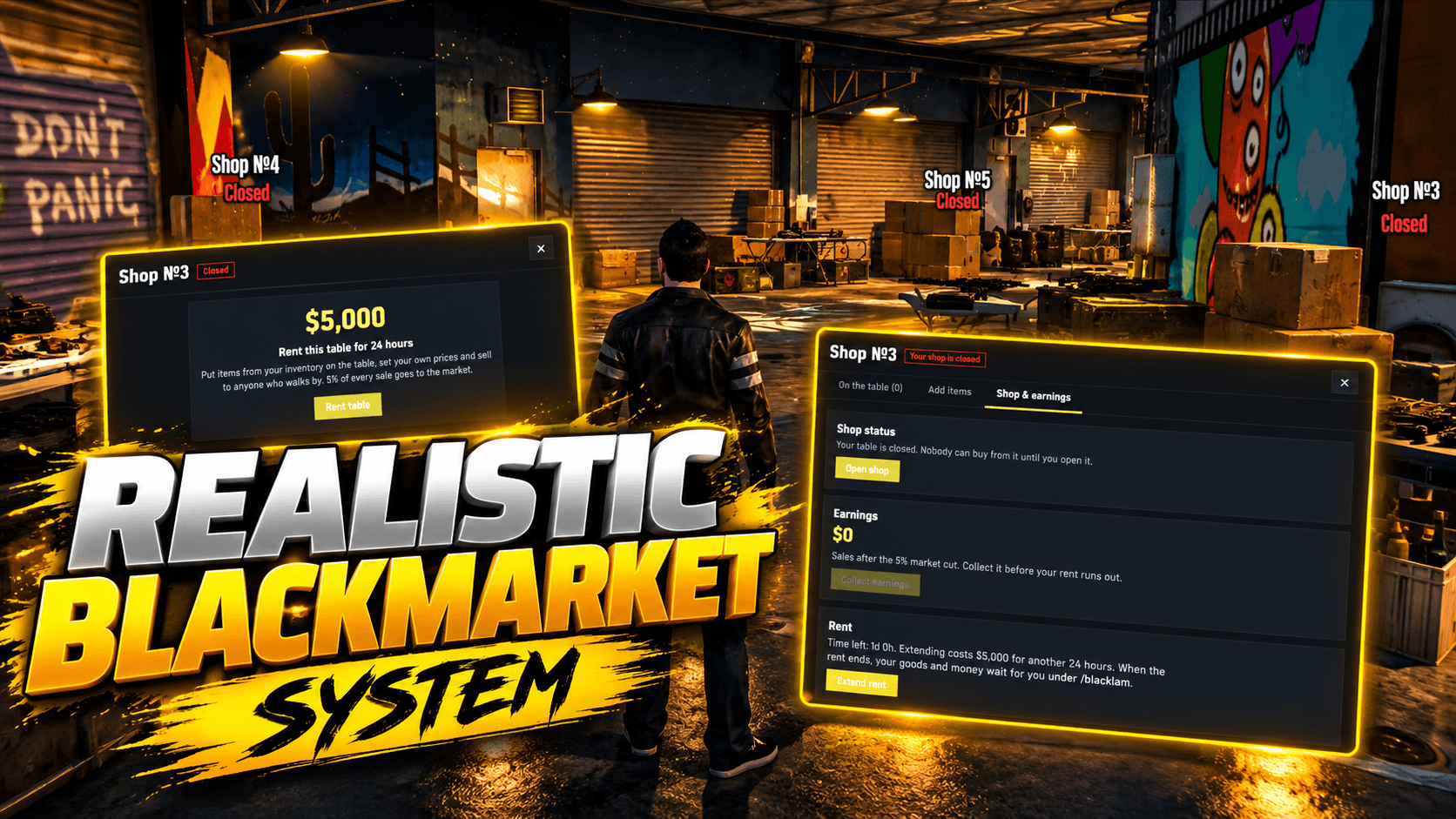
Realistic Blackmarket System
QboxQBCoreESXFeatures For players Rentable table shops: players rent a table in the black market area for a set number of hours. Live shop labels: each table has a floating label such as “Shop №4”, with “Works” in green when the shop is open and “Closed” in red when it isn’t rented or the owner has shut it. Sell from your inventory: pick items from your inventory, choose the amount, and put them on the table. Your own prices: set a price per item, and change it any time. Safe item holding: listed items are held on the table, so nothing is lost or duplicated if the owner logs off. Weapons keep their data: serial numbers and other item details stay with the item. Open and close: the owner can open or close the shop whenever they like. Earnings: sales money collects on the table and the owner takes it from the shop menu. Sale notifications: the owner is told as soon as something sells. Rent timer and extend: see the time left, and extend the rent up to 7 days ahead. Claim lost goods: when rent ends, leftover stock and money wait under /bmclaim, so nothing is lost. Buying: other players choose a quantity and pay in black money, with the stock and price shown on each card. Clean UI: a dark UI with tabs for what’s on the table, adding items, and shop and earnings. Admin tools /bmcreator: place a new table live in-game with a ghost preview. Rotate it, set the rent price and duration, and it is live for everyone immediately, with no restart. /bmadmin: list all tables, teleport to one, edit rent price and duration, evict a renter, or delete a table. /bmoffset: stand under or on a table and get ready-to-paste prop positions for your own decoration. Law enforcement Police raids: police see a “Raid table” button on rented tables and a progress bar runs. Seizure: all stock and earnings are taken, and the officer can receive the seized items. Raid limits: the table closes after a raid, with a cooldown before it can be raided again. Owner alert: the owner is notified when their table is raided. Configuration Framework: ESX or QBCore/QBox. Inventory: uses ox_inventory or qb-inventory Payment: a black money item or a framework account. Market tax: a percentage taken from each sale. Price limits: a minimum and maximum price. Table limits: the maximum stacks per table and tables per player. Item rules: a blacklist, plus an optional whitelist. Renter rule: a custom rule for who may rent, such as gang members only. Map blip: a map icon you can place anywhere. Police settings: jobs, raid time and cooldown. Discord logs: an optional webhook for sales and admin actions. UI colors: theme colors in web/style.css.
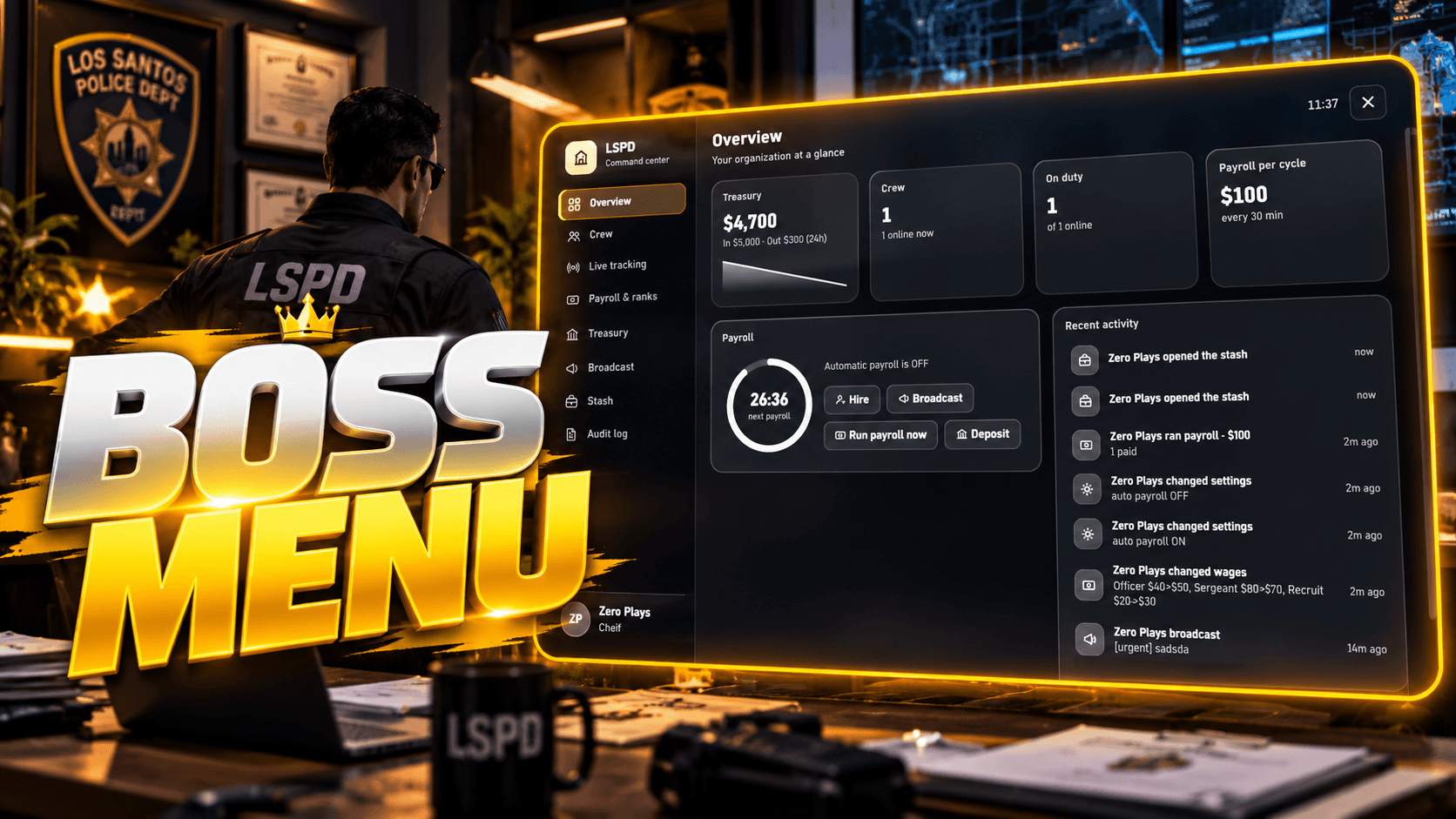
Advance BossMenu
QboxQBCoreESXStandalone🏛️ Star Boss Menu A premium command center for job bosses: hire, promote, pay, broadcast and track your crew live. 🎯 WHY SERVERS USE IT - Engagement: bosses actually run their organization instead of waiting for an admin. - Less admin work: automatic payroll, per-rank wages and a full audit log. - Economy depth: society treasuries, bonuses and shared stashes your community uses every shift. - Premium feel: a clean black-and-white glass interface that makes your server look serious. 👥 CREW MANAGEMENT - Hire nearby players, promote or demote, and dismiss members, including offline ones. - Pay bonuses straight from the treasury, with an optional note. - Hierarchy rules: bosses can only manage people ranked below them. - Worked hours tracked per member, with last-seen time for offline staff. - Search and filter by online or offline. 📡 LIVE TRACKING - See who is online and on duty, with street and zone, distance, health and vehicle status. - One-click waypoint to any crew member, refreshing every few seconds. 💰 PAYROLL AND RANKS - Per-rank wages, editable in the menu within limits you set. - Automatic payroll on a timer, paid from the society treasury, with a live countdown. - Run payroll now button and a per-job on/off switch. - Warns bosses when the treasury cannot cover payroll. 🏦 TREASURY - Society funds per job, with deposits and capped withdrawals (per transaction and per 24 hours). - Full transaction ledger and a balance trend chart. - Exports for other scripts (billing, fines, repairs) to add or remove society money. 📢 BROADCAST - Send info, important or urgent announcements to every online crew member. - Shown as an on-screen banner with a sound, with a live preview before sending. - Cooldown and message length limits to prevent spam. 📦 SHARED STASH - One stash per organization, opened from the menu. - Works with ox_inventory, qb-inventory or your own custom function. 🧾 AUDIT LOG - Every action recorded: who, what, target, amount and details. - Filter by action, search by name, paginated, with automatic cleanup of old entries. 🔐 PERMISSIONS - Minimum grade per feature, set globally or per job. - For example, let lieutenants hire without letting them withdraw money. - Every action is re-checked on the server. 🛠️ ADMIN PANEL (/bossadmin) - Create, edit, move, teleport to and delete boss desks in game, with no restart needed. - Desks can be limited to one job or open to any job. - Standalone mode: create organizations with ranks and wages, and assign players. 🎨 EXTRAS - Tablet animation and prop while the menu is open. Compact, centered window. - Choose framework or ox_lib for notifications and the "press E" prompt. 🔌 COMPATIBILITY - ESX Legacy, QBCore, QBox and standalone (built-in jobs and wallet). - Works with every job that has a boss grade, with no per-job setup. - Requires oxmysql (tables are created automatically).
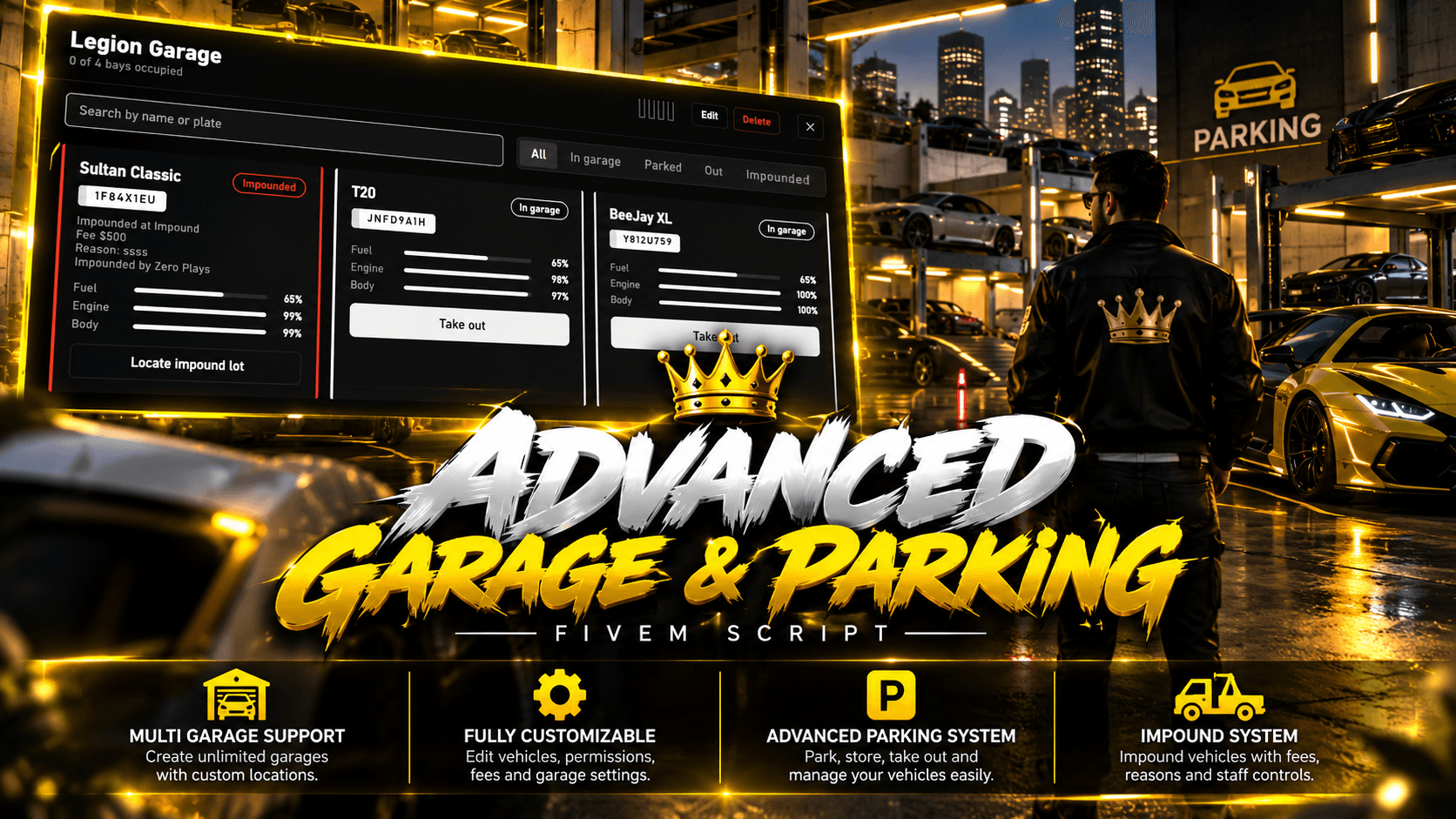
Garages & Realistic Parking
QboxQBCoreESXStandaloneHighlights: Realistic bay parking with /park or E. Parked cars are locked, frozen and collision-free so nobody can crash into them. Cars return to the garage when the owner leaves the server. In-game creator and editor with on-foot and top-view modes. Police impound with owner info, fees and reasons. Paid garage-to-garage transfers. Garages saved to JSON, easy to share. Requires: ox_lib, oxmysql Framework support: Auto-detects QBCore, Qbox and ESX. It also works standalone
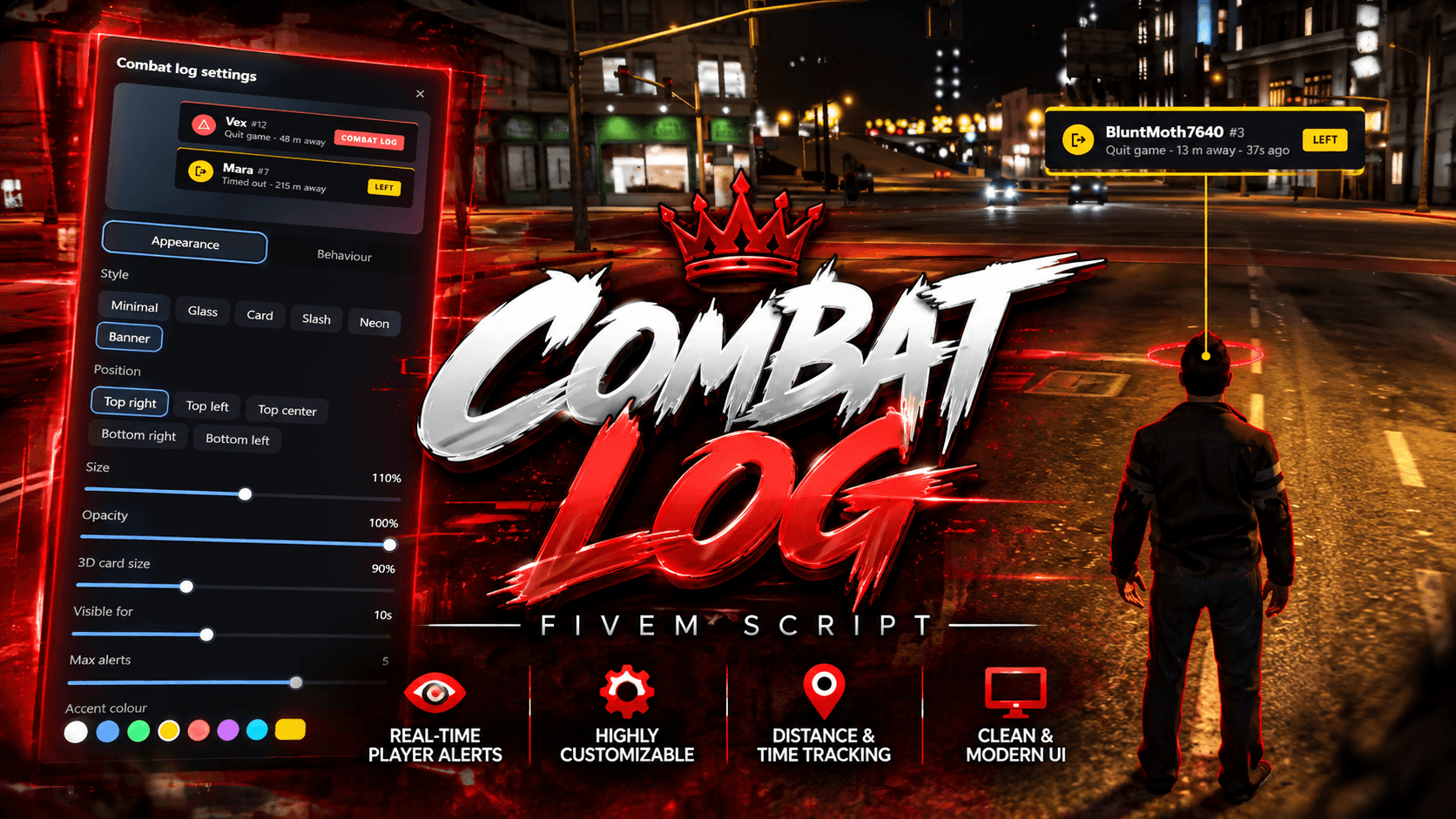
Combat Log
Features Real-Time Player Alerts Highly Customizable Distance & Time Tracking Clean & Modern UI You could also use these slightly more descriptive store descriptions: 🔴 Real-Time Player Alerts Instantly see when players combat log or leave the server. ⚙️ Highly Customizable Customize the appearance, style, position, size, opacity, colors, and alert behavior. 📍 Distance & Time Tracking Track how far away the player was and how long ago they left. 🖥️ Clean & Modern UI A sleek, lightweight interface designed to fit seamlessly into your FiveM server. Framework: Standalone
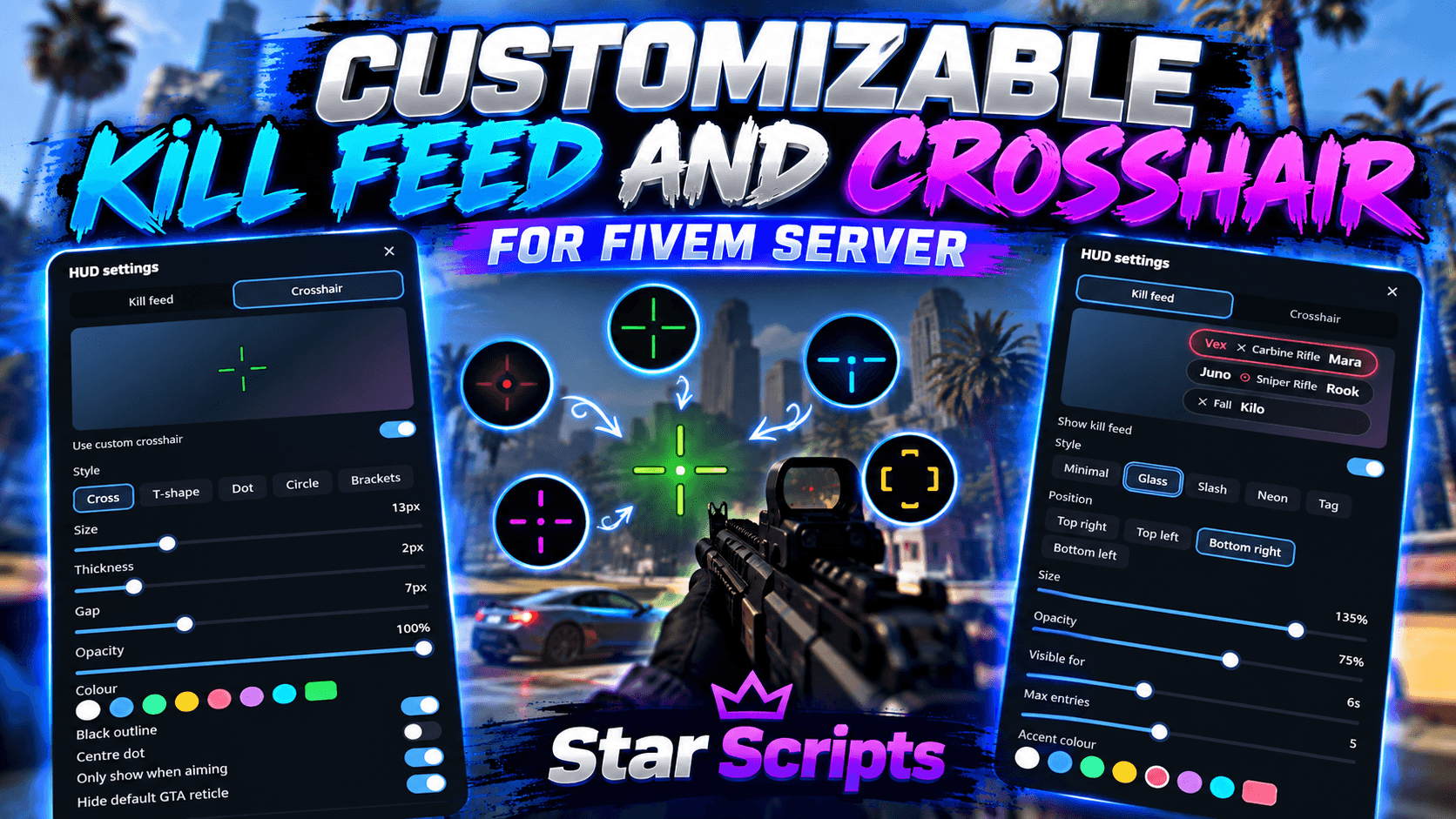
Killfeed and Crosshair
A modern and easy-to-use FiveM Killfeed and Crosshair editor that lets player manage killfeed and crosshair as player likes directly in-game. Features 🗺️ Change crosshair style in-game with 5 styles 🗺️ Change killfeed style in-game with 5 styles 🎨 Customize size, color, opacity, & more 📍 Set blip location using player position 🔎 Enable or disable ⚡ Lightweight and standalone 🎨 Modern React NUI interface
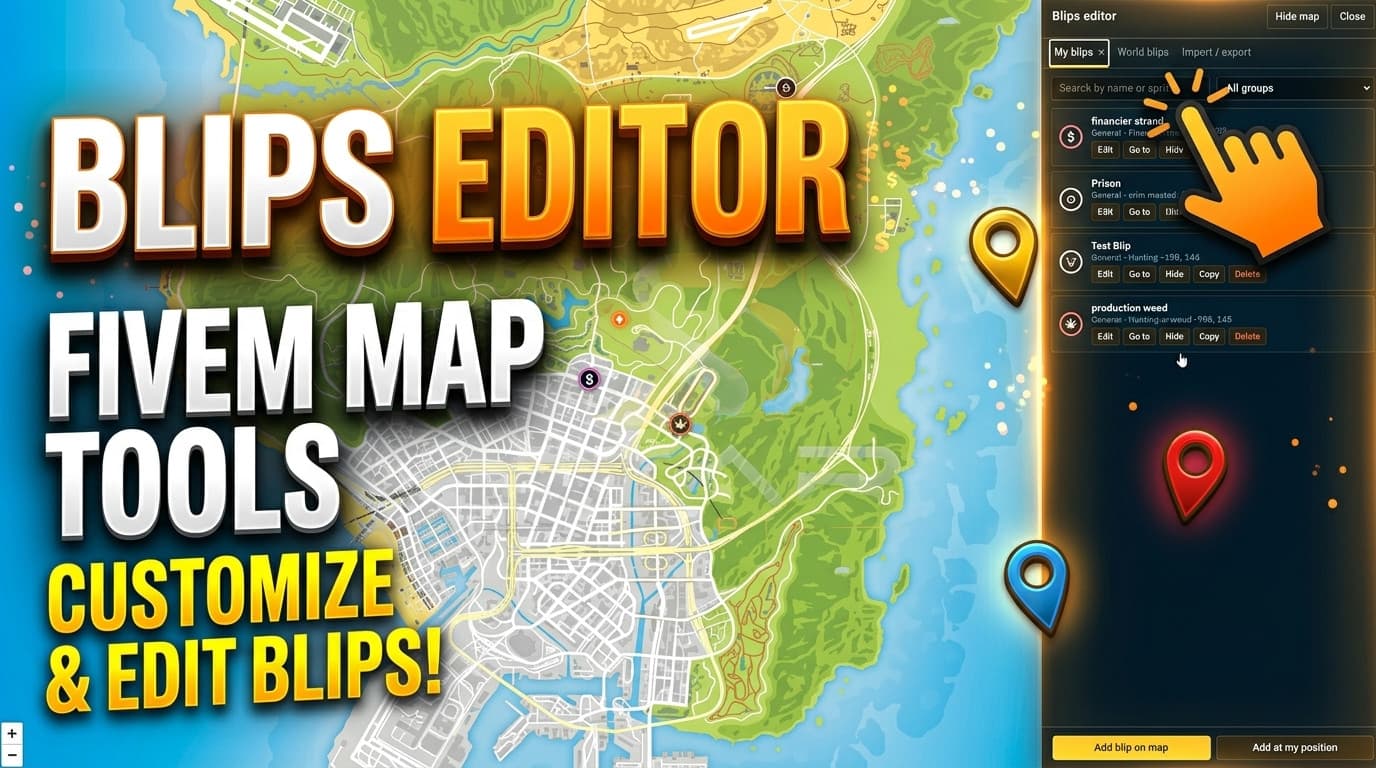
Blips Creator and Editor
A modern and easy-to-use FiveM Blips Editor that lets server staff create and manage map blips directly in-game. Features 🗺️ Create & edit blips in-game 🎨 Customize sprite, color, scale & settings 📍 Set blip location using player position 🔎 Scan existing world blips 🚫 Hide unwanted world blips 🔐 ACE permission support 💾 Persistent JSON storage 📥 Import & manage multiple blips ⚡ Lightweight and standalone 🎨 Modern React NUI interface Framework: Standalone