

WELCOME TOSTAR SCRIPTS
Experience a clean, modern, and premium selection of Scripts, Maps, and Resources.
Instant and rapid delivery of your items via portal.
Elevate your server with optimized performance.
Guarded with official Tebex escrow and licensing.
Need help? Join our community for live assistance.

JOIN OUR DISCORD COMMUNITY
Get 24/7 dedicated support, instant script updates, live announcements, and direct assistance.

All Packages
Explore our full collection of packages, perks, and custom features available for your server.
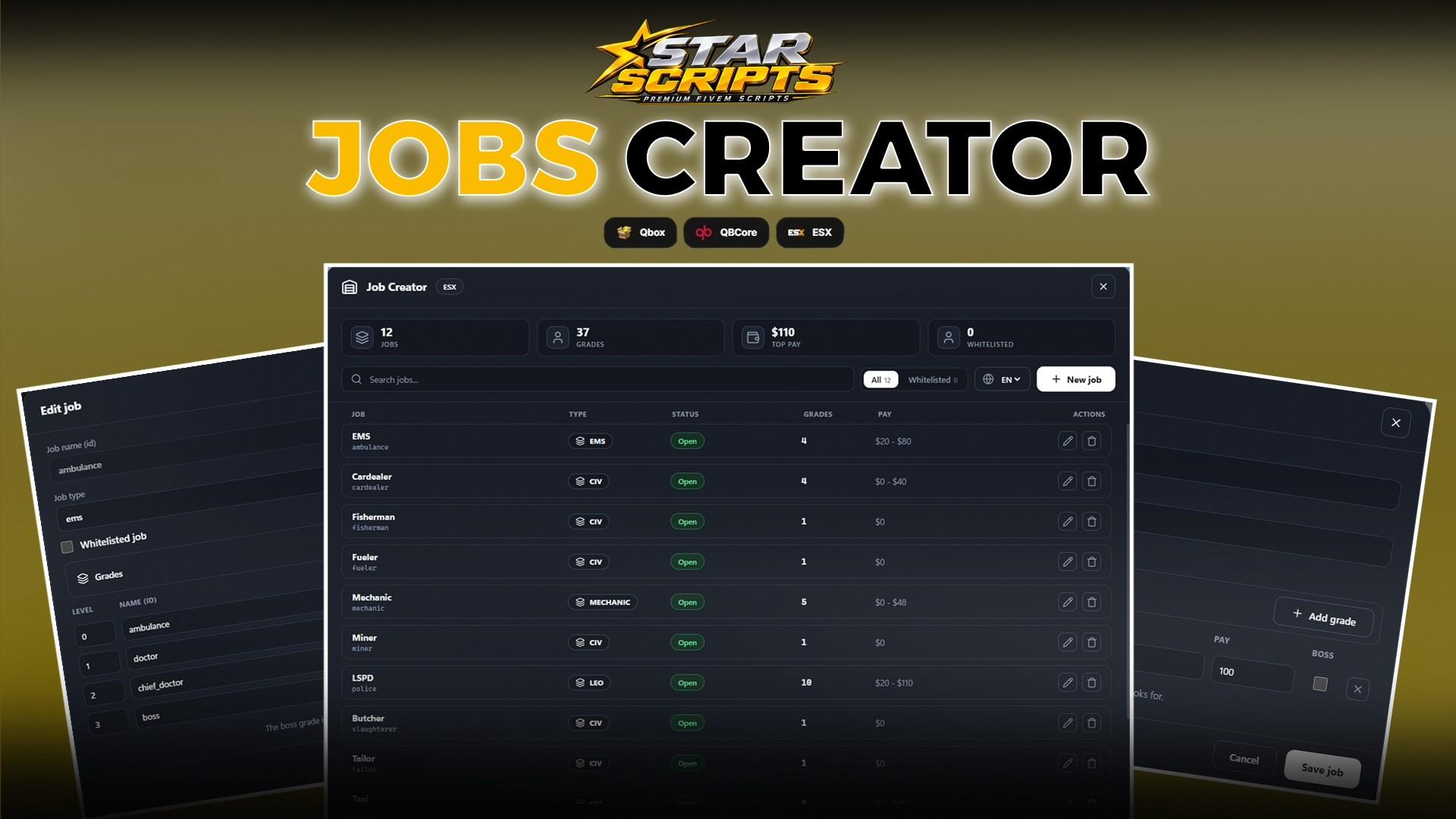
Jobs Creator
 Qbox
 QBCore
 ESX
Create and manage jobs in game, with no config editing and no restarts. Star Job Creator gives your admins a clean in-game panel to create, edit and delete jobs and grades. It runs on ESX, QBCore and QBox from one resource, detects your framework automatically, and applies changes to the server instantly. Features Job management Create, edit and delete jobs from a UI. Unlimited grades per job (limit configurable): level, name, pay, boss flag and bank access. Search and filter jobs, with quick stats for jobs, grades and top pay. Two-click delete confirmation to prevent accidents. Multi-framework Supports ESX, QBCore and QBox (qbx_core). Automatic framework detection, or force one in the config. ESX writes to the native jobs and job_grades tables and reloads live. It adapts to your table version, with job type and whitelist support where the column exists. QBCore and QBox jobs are saved in the database and re-applied on every start, so they survive restarts. Framework-specific options are shown only when relevant: whitelist for ESX; type, default duty, off-duty pay and bank access for QBCore/QBox. Security Every action is re-checked on the server, never trusted from the client. Access through ACE permissions, ESX groups or QBCore permissions. Strict validation of names, grades and pay, with rate limiting on changes. Optional Discord webhook audit log of who created, edited or deleted what. Requirements oxmysql ESX, QBCore or QBox (es_extended, qb-core or qbx_core)
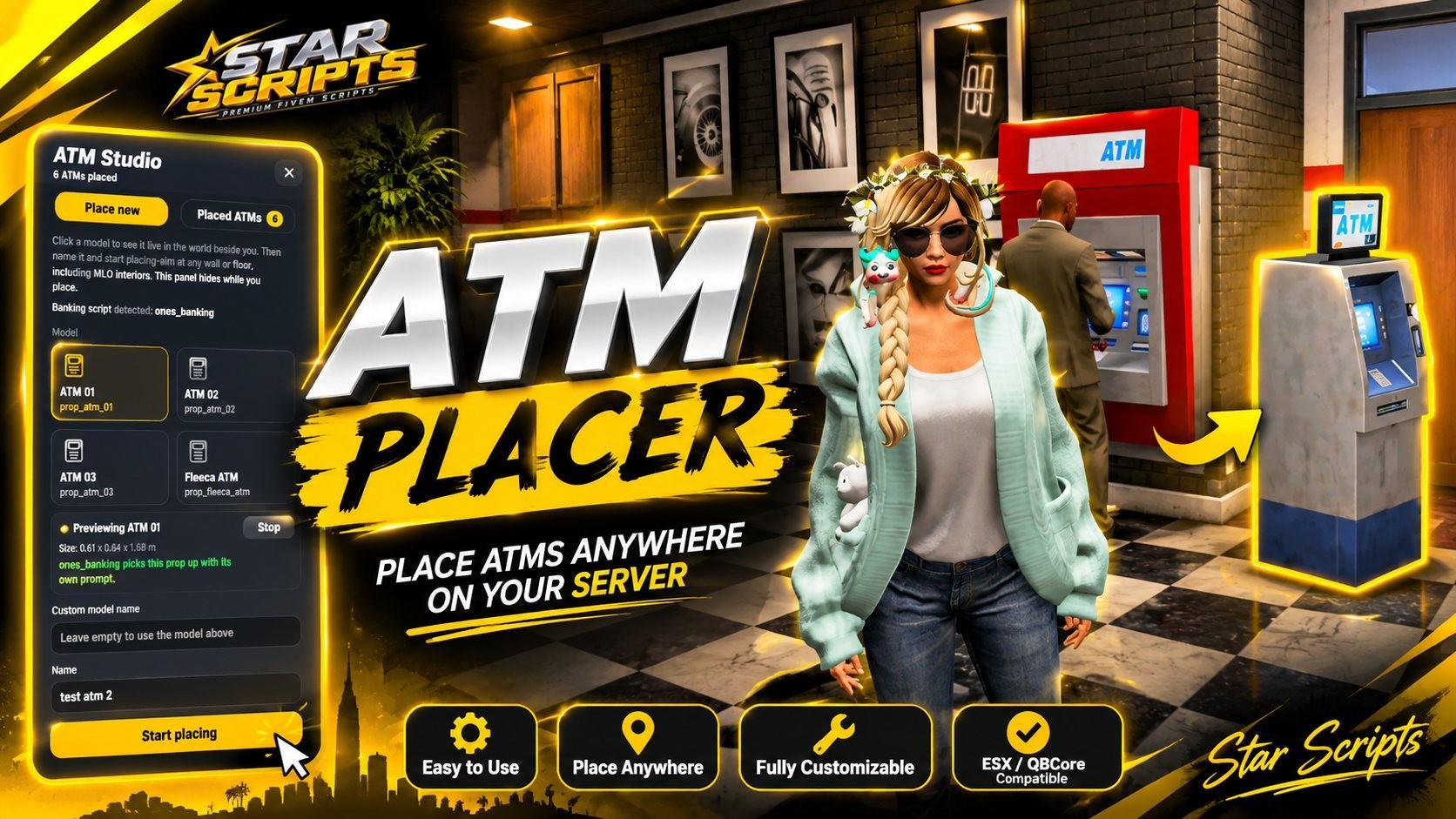
ATM Placer
QBCoreESXStandaloneATM Studio lets admins place, move, edit and remove ATM props anywhere on the map, including inside MLO interiors, without editing any files or restarting the server. You aim at a surface in game, adjust the prop live, and confirm. Everything is saved automatically and synced to all players. Features Admin editor Modern dark side panel with a Place new tab and a Placed ATMs tab. Opens with /atmadmin (command name is configurable). Admin check by ACE permission, ESX groups or QBCore permissions. Placement Aim at any wall or floor, including MLO interiors. Translucent ghost prop with an amber outline follows your aim. Live X, Y, Z and heading readout on a bottom HUD. Auto-aligns to walls, with a toggle (G) to turn that off. Fine tuning: rotate (scroll, Q, E), height (↑ ↓), side (← →), depth (Z, X), flip 180° (F), and Shift for fine steps. Confirm with Enter or left click, cancel with Backspace or right click. Live preview Click a model and a rotating copy appears in the world beside you, on a lit amber ring. Shows the model’s size and whether your banking script will pick it up. Works for the built-in models and for any custom model name you type. Management Search placed ATMs by name, model or coordinates. Teleport to an ATM, move it in the world, edit its name, model, coordinates and heading, or delete it (with a confirmation step). Banking compatibility Detects your banking script automatically and shows its name in the editor. No duplicate prompts or targets from this script. Includes an invisible collision helper for ATM models that have no collision when spawned, so banking scripts can still find them. It is configurable and can be switched off. Technical Standalone: no database. ATMs are stored in data/atms.json. Instant sync to all players. Props are spawned locally within a set distance for performance. The server checks permissions and validates model names, coordinates and labels on every save and delete. /atmdebug prints diagnostics for the nearest ATMs to the F8 console. Requirements and notes Works standalone. ESX and QBCore are optional and only used for admin checks. Custom ATM models only work if your banking script’s own ATM model list includes them. This script has not been fully tested on a live server. Check it on a test server first, and run /atmdebug near an ATM that isn’t detected.
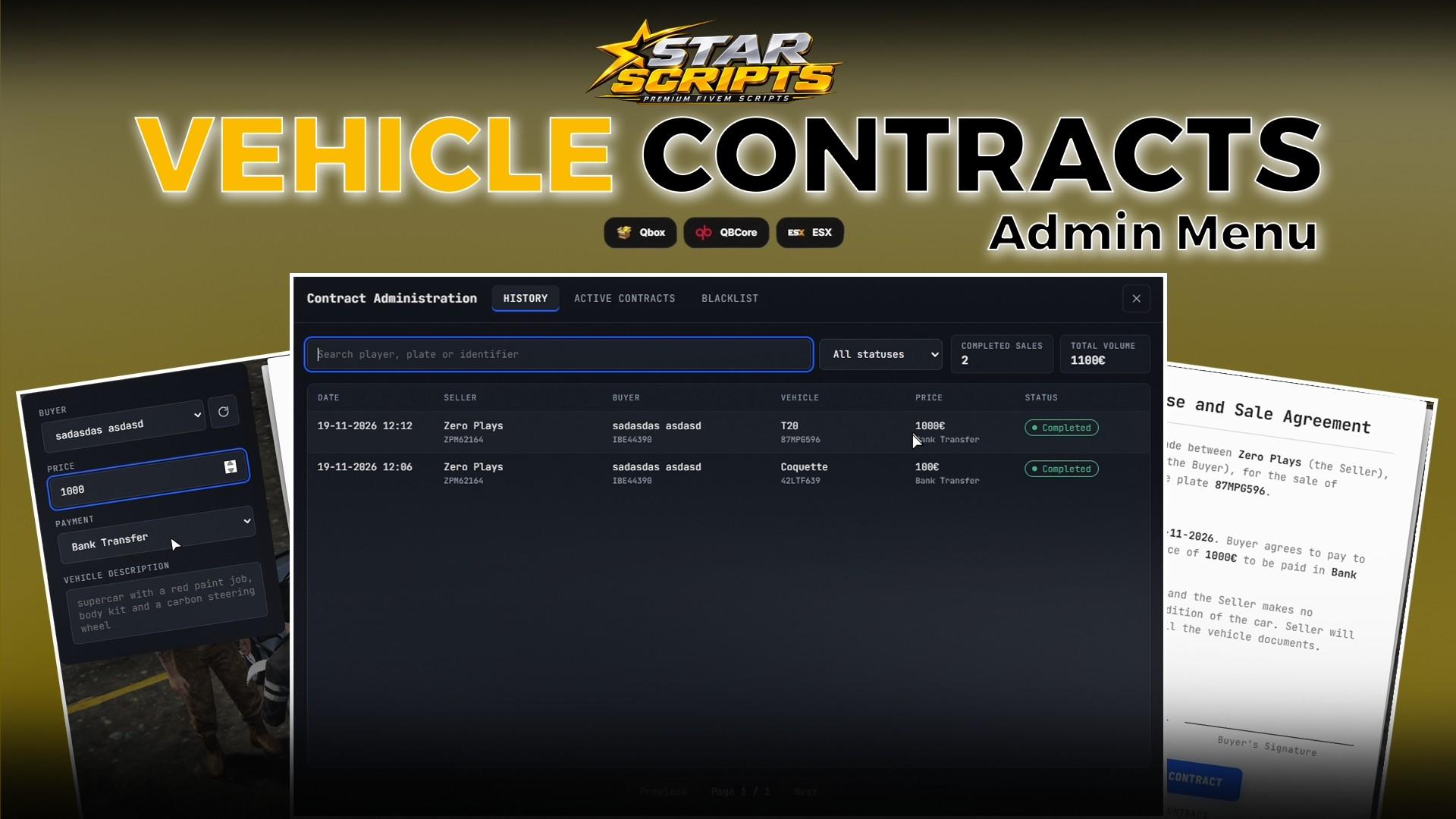
Vehicle Contracts with Admin Menu
QboxQBCoreESXFeatures Contract as an item. The seller uses the item next to their vehicle, picks a nearby buyer and a price, and signs. The buyer reviews the contract and signs. Instant transfer. On the buyer’s signature the vehicle changes owner and the money moves from buyer to seller (bank or cash). If the payment fails, the vehicle goes back. Signature animation. Both names are written in a handwriting style, and the player holds a notepad and pencil while signing. Vehicle blacklist. Block models or plates from the config file, a command or the admin menu. Admin menu (/contractadmin): History: searchable history of every contract, with totals. Active contracts: a list with force cancel. Blacklist: a live editor. Discord logs. Created, completed, cancelled, failed, blocked and admin actions, each optionally to its own channel. Translations. English, Arabic (right-to-left), Spanish, French and German, and a new language is one file. Safe by design. Everything is checked on the server (ownership, distance, funds, blacklist), and player-typed text can’t inject code into the UI. Configurable. Price limits, payment methods, timeout, distance and key script hooks. Works on ESX, QBCore and Qbox. The framework is detected automatically, and ox_inventory is used when it’s running.
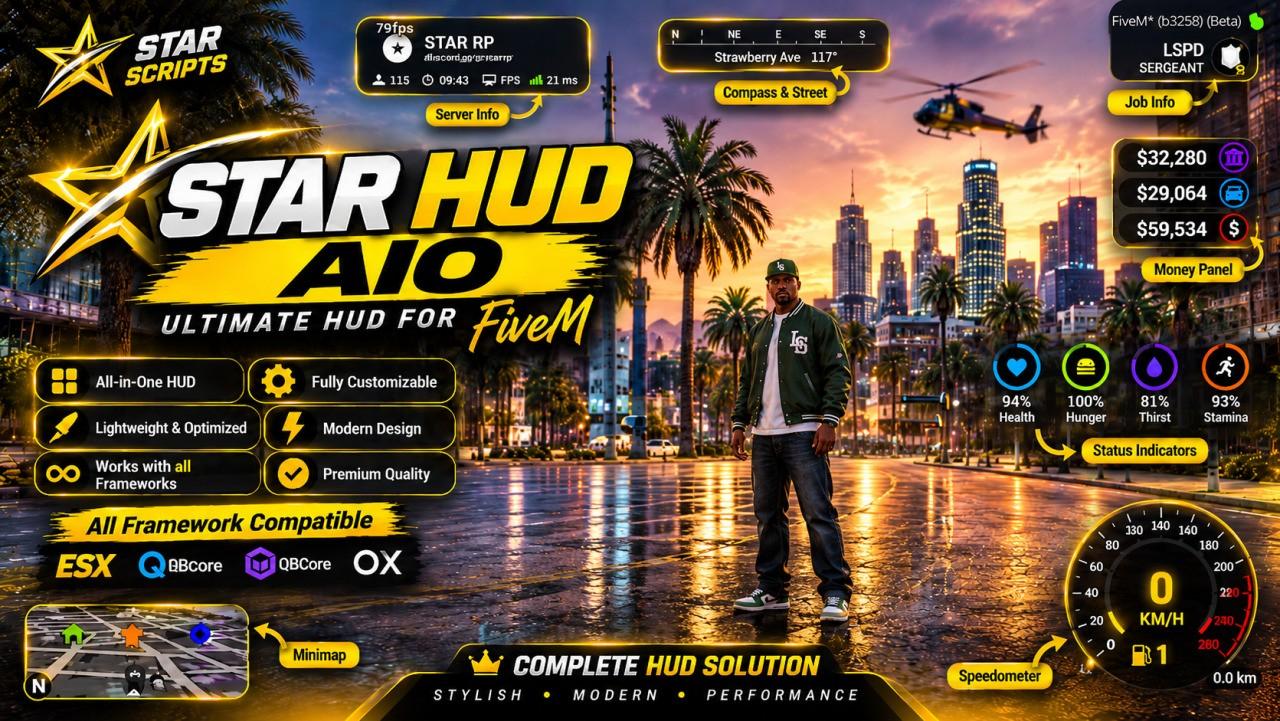
Star Hud AIO
QboxQBCoreESX⭐ STAR HUD AIO – Complete FiveM HUD Solution A modern, premium all-in-one HUD for FiveM servers, featuring a stylish glass-style interface, customizable yellow accents, advanced vehicle systems, and powerful player features. Compatible with QBCore, Qbox, and ESX, all in one resource. STAR HUD AIO also includes an integrated notification system, allowing you to replace your old "star_notify" resource. 🔗 LINKS & RESOURCES 🛒 Purchase & Store: 💬 Discord Community: 📄 Documentation: ✦ KEY FEATURES 🔑 Advanced Vehicle Key System A modern, premium vehicle key interface featuring a sleek silver frame and four interactive buttons: Unlock Lock Hood Trunk Features: Personalized display showing "Hello, [Character Name]" and the vehicle name. Interactive buttons with visual indicators for vehicle lock status, hood, and trunk. Customizable key colors through "Config.Keys.FobColor". Available colors: Red, Gold, Orange, or any custom HEX color. Press K to open the vehicle key. Use "/starfob" to open the key interface. Press L for quick vehicle lock/unlock. Database-based vehicle ownership and key management. Vehicle management commands: "/registervehicle" "/transfervehicle" "/givekey" "/unregistervehicle" Realistic key animation with hand prop, vehicle light flash, horn chirp, and configurable sounds. Optional automatic vehicle locking when leaving the vehicle. Prevents unauthorized vehicle entry through the standard F key when locked. 🚗 Advanced Speedometer System Choose from five unique speedometer designs: Classic Dial Neon Arc Cluster Digital Additional Features: 26 customizable accent color themes. Separate speedometer layouts for aircraft, bicycles, and metro. Individual player customization. Players can select their preferred layout and color through the HUD menu (I). Personal preferences are automatically saved. 🧰 Complete HUD Features Player Status Indicators Health Armor Hunger Thirst Stress Oxygen Fuel Vehicle Systems Built-in seatbelt system. Crash detection and player ejection. Seatbelt warning chime. Synchronized turn signals. Hazard lights synchronized between players. Dedicated vehicle menu (F7). Advanced vehicle information. HUD Interface Customizable minimap. Compass and street names. Voice indicator. Weapon HUD. Modern server information panel displaying: Server name In-game clock FPS Ping Player count Money Advanced Systems Built-in stress system with screen effects. Black money support. Society and gang balance support. Integrated notification system. Automatically hides when another resource has NUI focus or when a camera is active. 🌍 Language Support STAR HUD AIO supports 12 languages: Arabic (ar) Czech (cs) German (de) English (en) Spanish (es) French (fr) Dutch (nl) Polish (pl) Portuguese (pt) Thai (th) Turkish (tr) Chinese (zh) ⚙️ Developer Features Exports and events for integration with other scripts. Notification integration. Vehicle key management integration. OpenKeyFob integration. Customizable settings. Extensive configuration through "config.lua". ⚙️ REQUIREMENTS & INSTALLATION Requirements OneSync (required). oxmysql (required for vehicle key database features). QBCore, Qbox, or ESX framework. Installation Guide Download and extract "star_hud". Place the resource inside your server's "resources" folder. Add "ensure star_hud" to your "server.cfg", after your framework. Stop other HUD and seatbelt resources to prevent conflicts. Alternatively, disable the built-in seatbelt using "Config.Seatbelt.Builtin = false". Configure your preferences inside "config.lua". Restart your server and enjoy STAR HUD AIO! ⭐ WHY CHOOSE STAR HUD AIO? Complete all-in-one HUD solution. Modern glass-style interface. Fully customizable appearance. Advanced vehicle key system. Five unique speedometer layouts. 26 accent color themes. Optimized and lightweight design. Supports QBCore, Qbox, and ESX. 12 language options. Developer-friendly exports and events. STAR HUD AIO – One Resource. Complete HUD Solution. Stylish • Modern • Customizable • Performance-Focused 🌐 💬 https://youtu.be/YW1KPKmhTcs
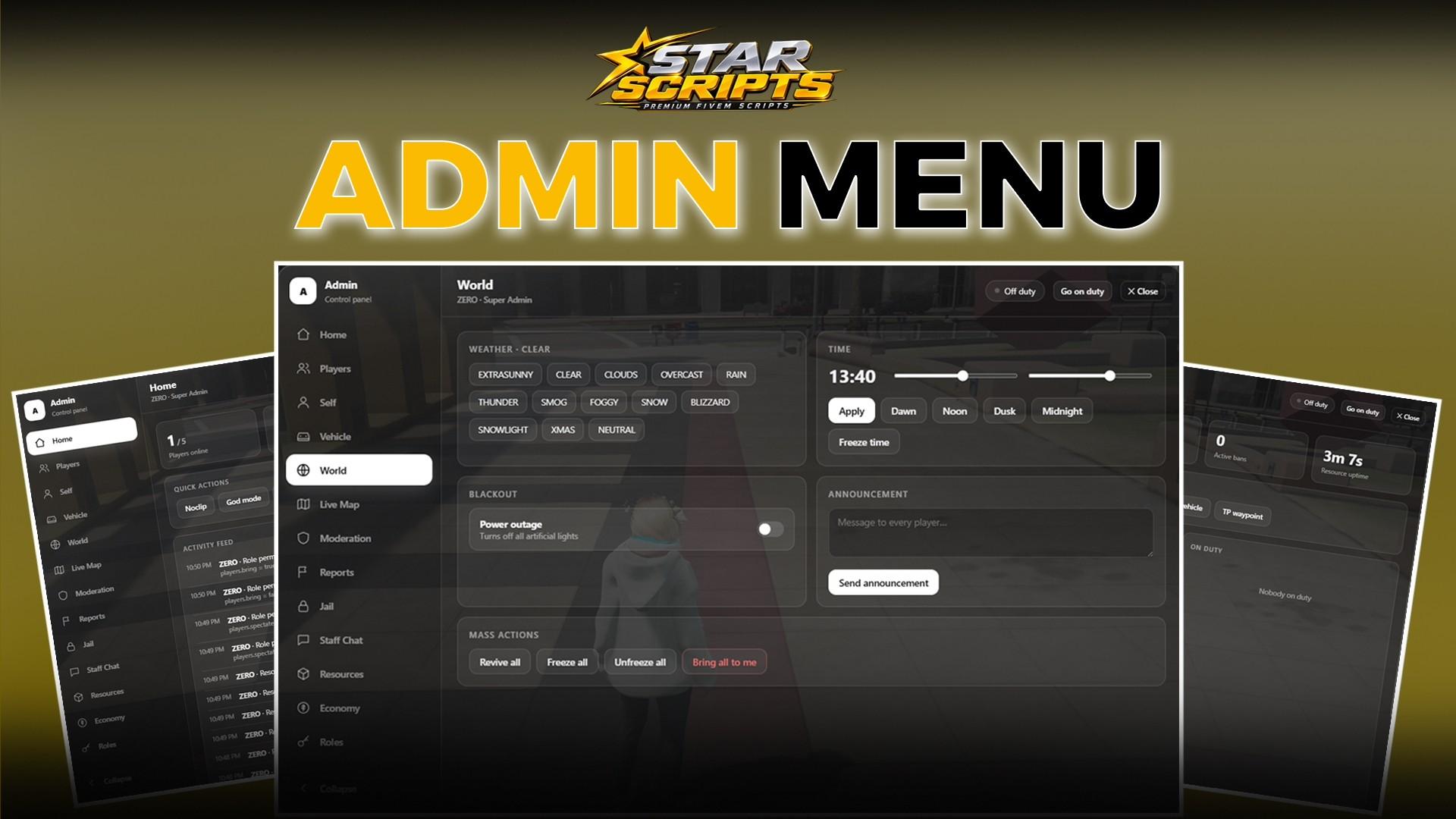
Admin Menu
QBCoreESXA full admin menu. It runs on its own with no database and works with QBCore and ESX if you have them. Features Home: live server stats, quick actions, an activity feed and a list of staff on duty. Players: Goto, Bring, Revive, Spectate, Freeze and Cuff. You can give items, money and weapons, set job or gang, view inventory and history, add notes and take screenshots. Self: Noclip, God mode, Invisible, ESP, a delete laser, teleports and a ped changer. Vehicle: a spawn list, repair, max mods, custom plate and fuel. World: weather, time, blackout, announcements, and revive, freeze or bring all players. Live Map: real-time player tracking on a map, plus an optional in-game blips mode. Moderation: Kick, warn and ban, with a Ban ID and an Appeal ID for every ban. Offline bans and hardware bans. Automatic ban after a set number of warnings. Audit and duty logs, with an optional Discord webhook. Reports: players use /report, and staff can claim, go to the player and close the report. Jail: a built-in jail, or you can connect your own jail script. Staff Chat: a private chat for staff only. Resources: start, stop and restart resources, with protected resources that can’t be stopped. Economy: view and edit player balances. Roles: in-game ranks with editable permissions. Staff can’t change or assign ranks at or above their own. Extras Open it with /admin or F10. The sidebar can collapse to icons only. Permissions are checked on the server, not just in the menu. Ban IDs and logs are saved to a file, so nothing needs a database.
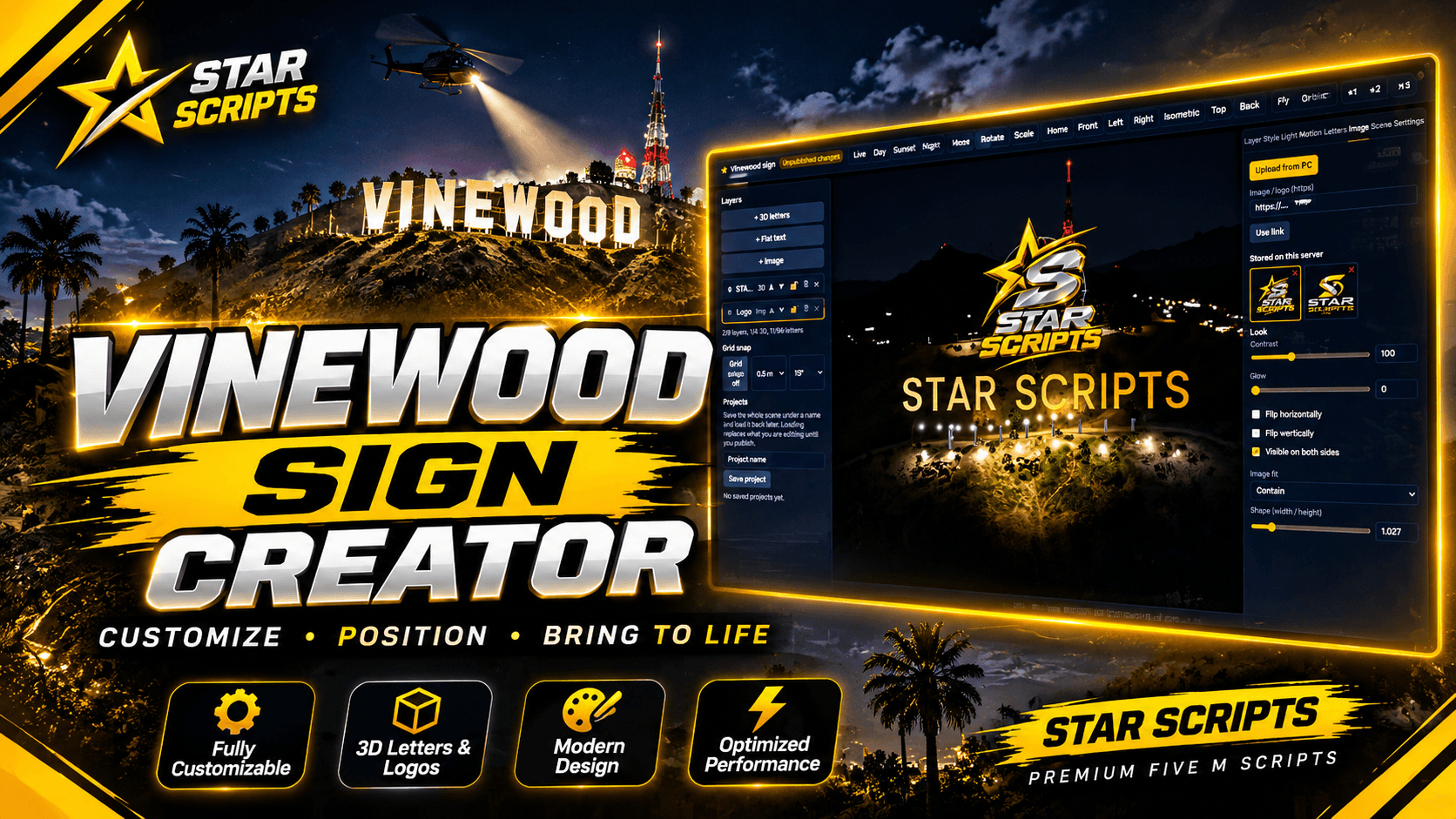
Vinewood Advanced 3D Sign Editor
QboxQBCoreESXStandaloneTransform the iconic Vinewood sign into your own creative masterpiece with Star Vinewood by Star Scripts. Star Vinewood is an advanced FiveM sign customization system that lets authorized staff create, customize, and publish beautiful sign designs directly inside your server. Build stunning 3D lettering, add custom text, upload logos, and design unique sign displays with a powerful in-game visual editor. ✨ Main Features 3D Text & Typography - Create realistic 3D letters directly on the Vinewood sign. - 23 different fonts. - Six font-weight options. - Custom letter spacing and depth. - Multiline text support (up to 4 lines). - Left, center, and right alignment. - Custom text outlines and colors. Custom Logo & Image System - Upload images directly from your PC. - Support for HTTPS image links. - Image tinting: solid, gradient, and rainbow. - Contrast and glow adjustments. - Horizontal and vertical flipping. - Image fitting and double-sided visibility. - Server-side image storage. Advanced In-Game Editor - Interactive 3D transformation gizmo. - Move, rotate, and scale controls. - Freecam and orbit camera. - Seven camera viewing presets. - Three camera bookmarks. - Day, sunset, and night previews. - Grid snapping and keyboard shortcuts. - Live visual editing. Scene Management - Save and load projects. - Seven built-in scene templates. - Copy and paste layer appearances. - JSON scene export and import. - Automatic backups. - Hide the original Vinewood sign. Framework & Permissions - ESX support. - QBCore support. - Qbox support. - Standalone support. - Automatic framework detection. - ACE permission support. - Custom permission integration. Additional Features - 14 supported languages. - Customizable interface scale and accent color. - Adjustable camera sensitivity. - Smooth camera transitions. - Configurable editor controls. - Server-side publishing validation. - Image upload limits and rate protection. 🎮 Commands /vinewood – Open the Vinewood editor. /vinewood showcase – Run the automatic private showcase. 🔧 Requirements - FiveM server. - One supported framework or standalone. - Appropriate editor permissions. ⭐ Why Star Vinewood? Give your server a unique identity with custom branding and professionally designed Vinewood sign displays. Whether you want a custom server logo, beautiful 3D lettering, or a completely redesigned sign, Star Vinewood gives your staff the tools to bring their ideas to life. Developed by Star Scripts.

Optimized Framework
Built with performance in mind. Our scripts run at 0.00ms resmon, ensuring your server remains lag-free even with high player counts.

Seamless Integration
Easily integrate with ESX, QBCore, and standalone setups. Plug and play design with extensive configuration options for your community.

Regular Updates
We continuously update our resources to support the latest FiveM server artifacts and introduce highly requested community features.

Premium Support
Get access to our dedicated Discord support team. We assist with installation, configuration, and troubleshooting any issues you encounter.

Security,
Reinvented
Our store delivers verifiable, production-ready resources for modern servers. Built with 0.00ms resmon, seamless framework compatibility, and community-tested architecture. Own your server experience, elevate your players, and scale effortlessly.
Idle resmon
Official Tebex escrow